Run the cafe, not the spreadsheets.
CafeDash reads your Square sales, timecards, schedule and customers, and turns them into one place to run the day, plan the week and keep your regulars coming back.
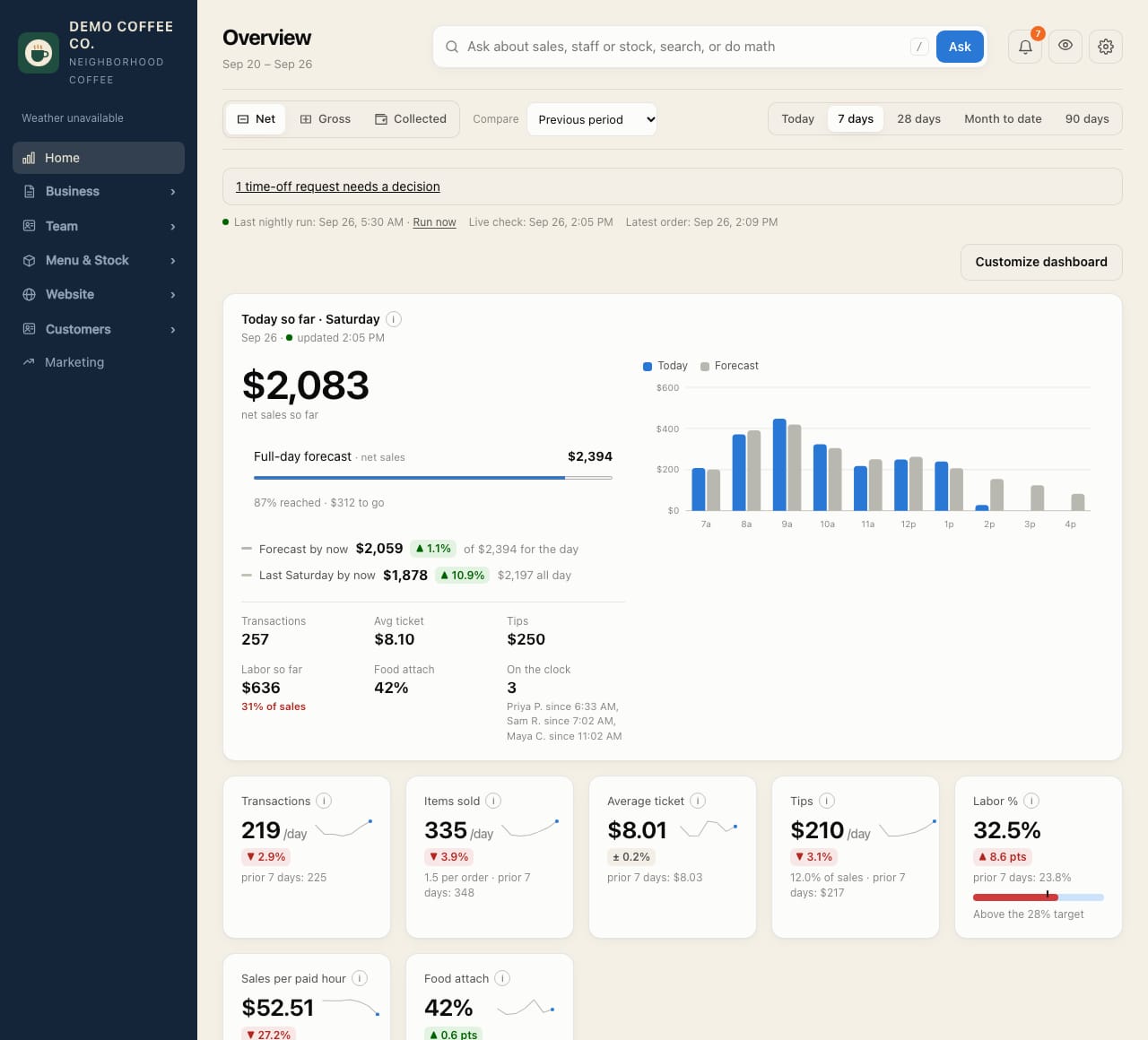
Today at a glance, from open to close.
- Sales so far against the forecast and last week, and who's on the clock.
- Transactions, items sold, average ticket, tips, labor % and food attach. Pick the measures you care about.
- Bar vs kitchen: drinks and food per hour, so you know where the rush lands.
- Six starting layouts for different goals, from "Labor & efficiency" to "Stock & waste".
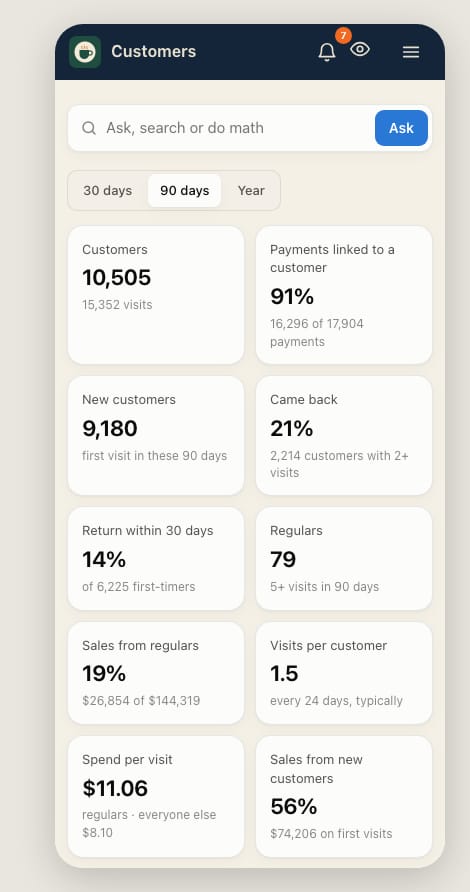
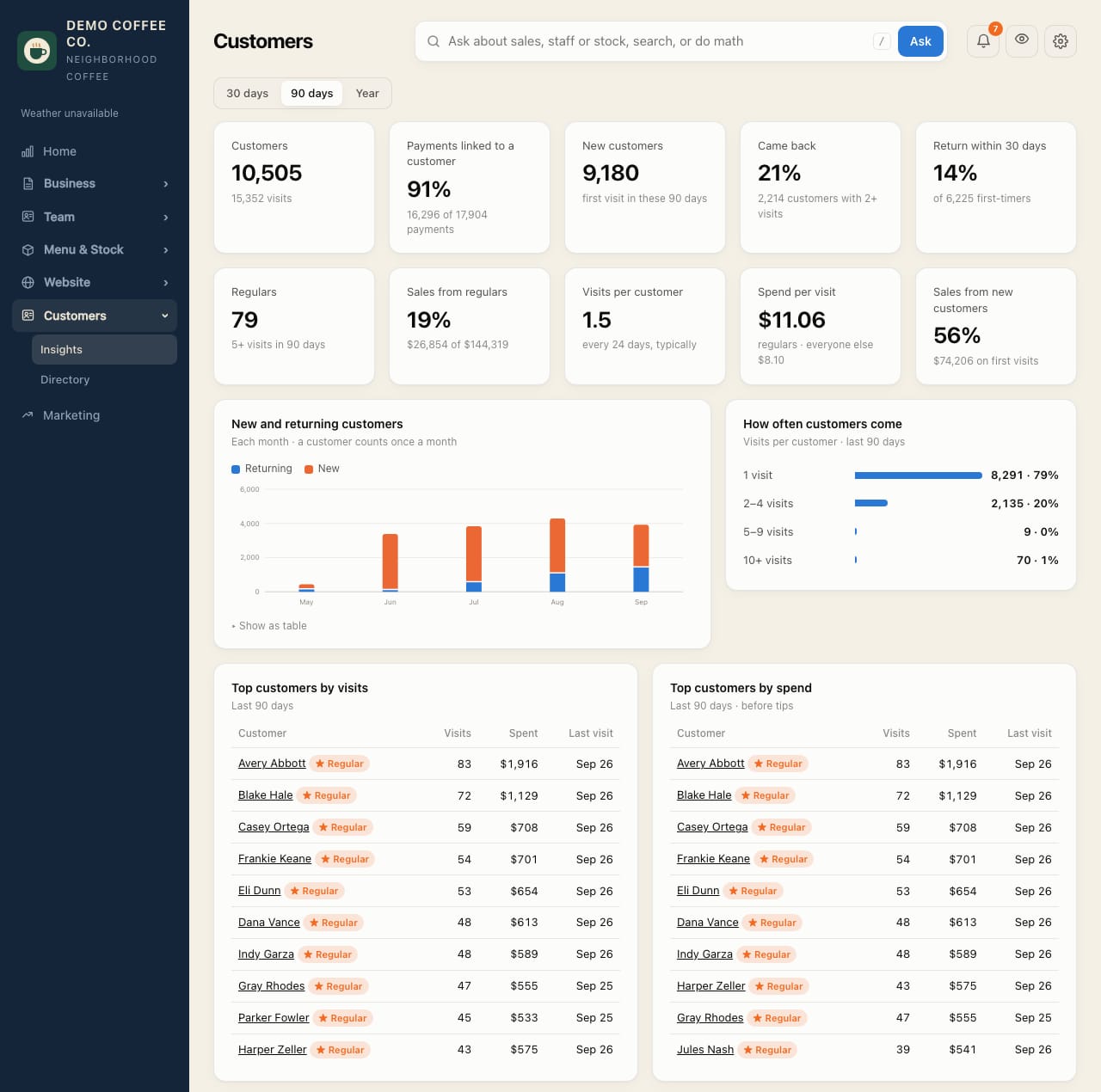
Know your regulars, and notice when they stop coming.
Square recognizes most cards, so most visits can be tied to a person. CafeDash turns that into numbers you can act on.
Example figures from the demo cafe.
- Return rate, regulars and their share of sales, spend per visit, top customers.
- A slipping-away list of regulars who haven't been back, with a win-back email list to download.
- Loyalty balances and point adjustments, with a reason and a review step.
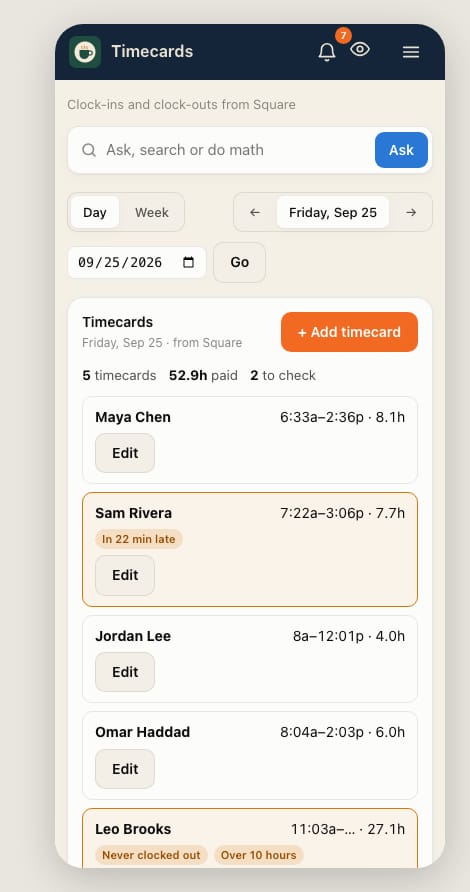
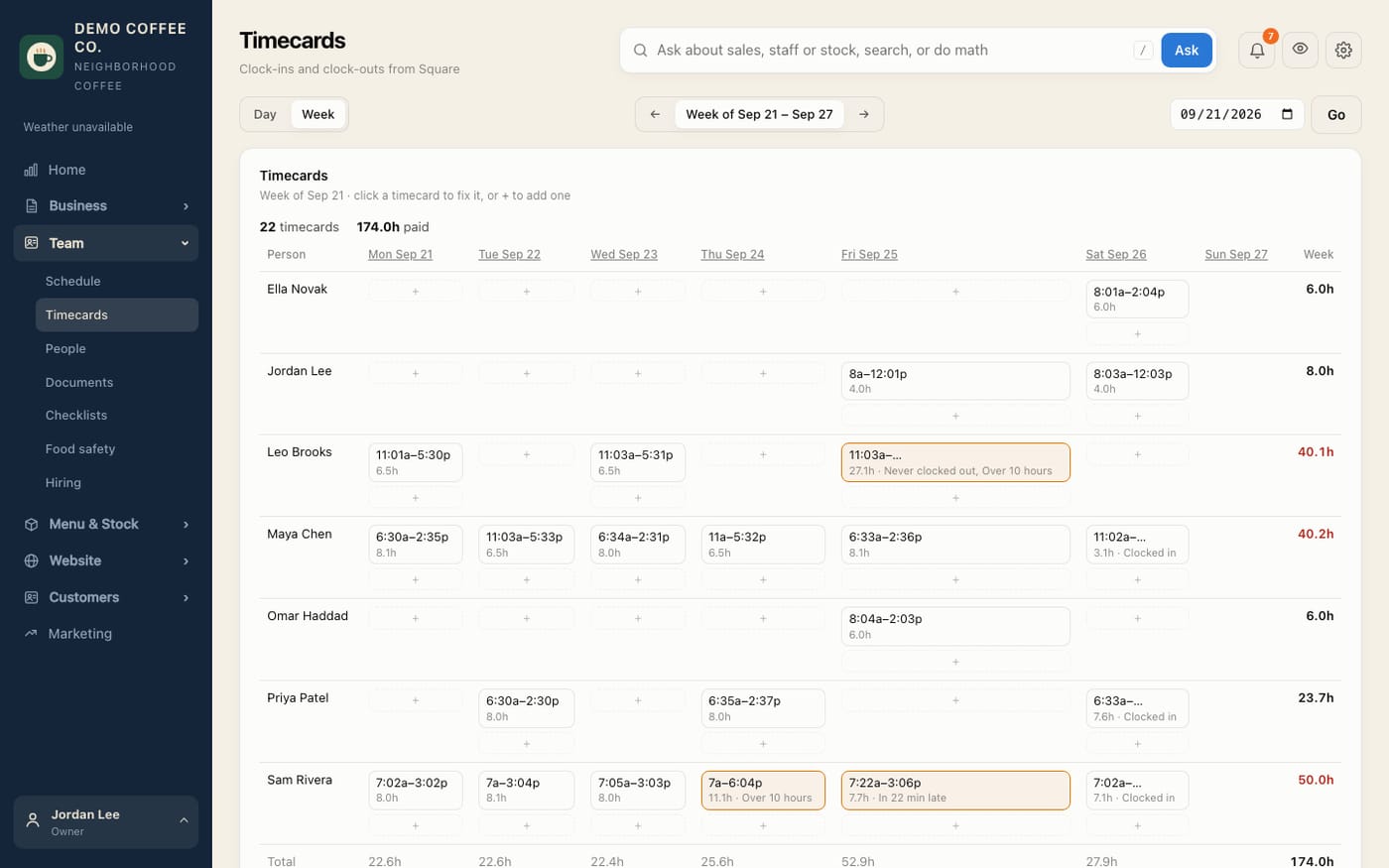
Catch the forgotten clock-out before payroll does.
- Every timecard by day or week, flagged when someone never clocked out, ran long, came in late or left early.
- Fix times, close an open timecard or add a missing one, and it's saved straight to Square.
- Labor % this month against last month, and what one, two or three people handle per hour.
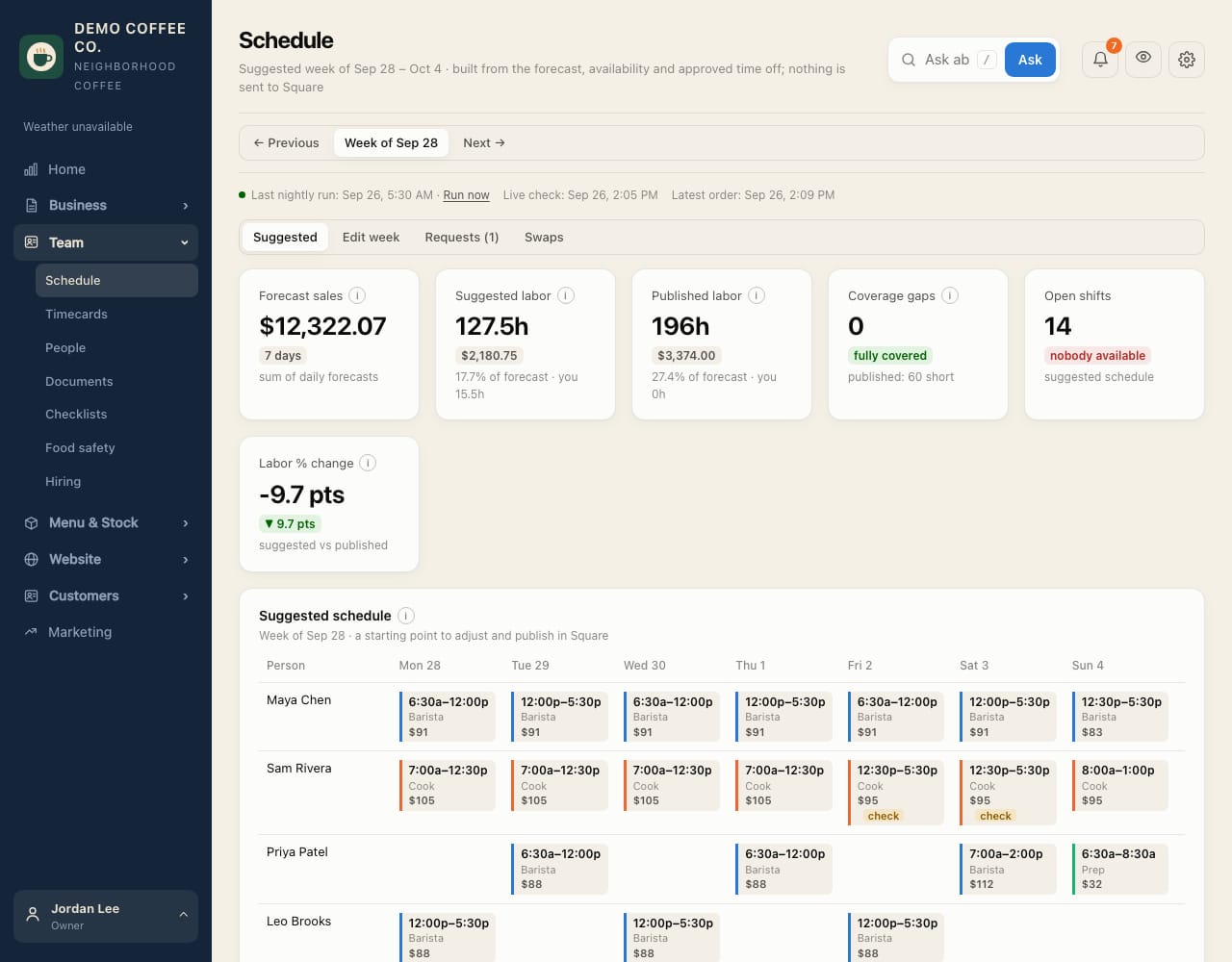
A suggested week, built from what you'll actually sell.
- Shifts suggested from the forecast, everyone's availability and approved time off.
- Edit the week, review it, and publish it to Square. Square emails the team as usual.
- Time off, availability and shift swaps, approved by a manager in one place.
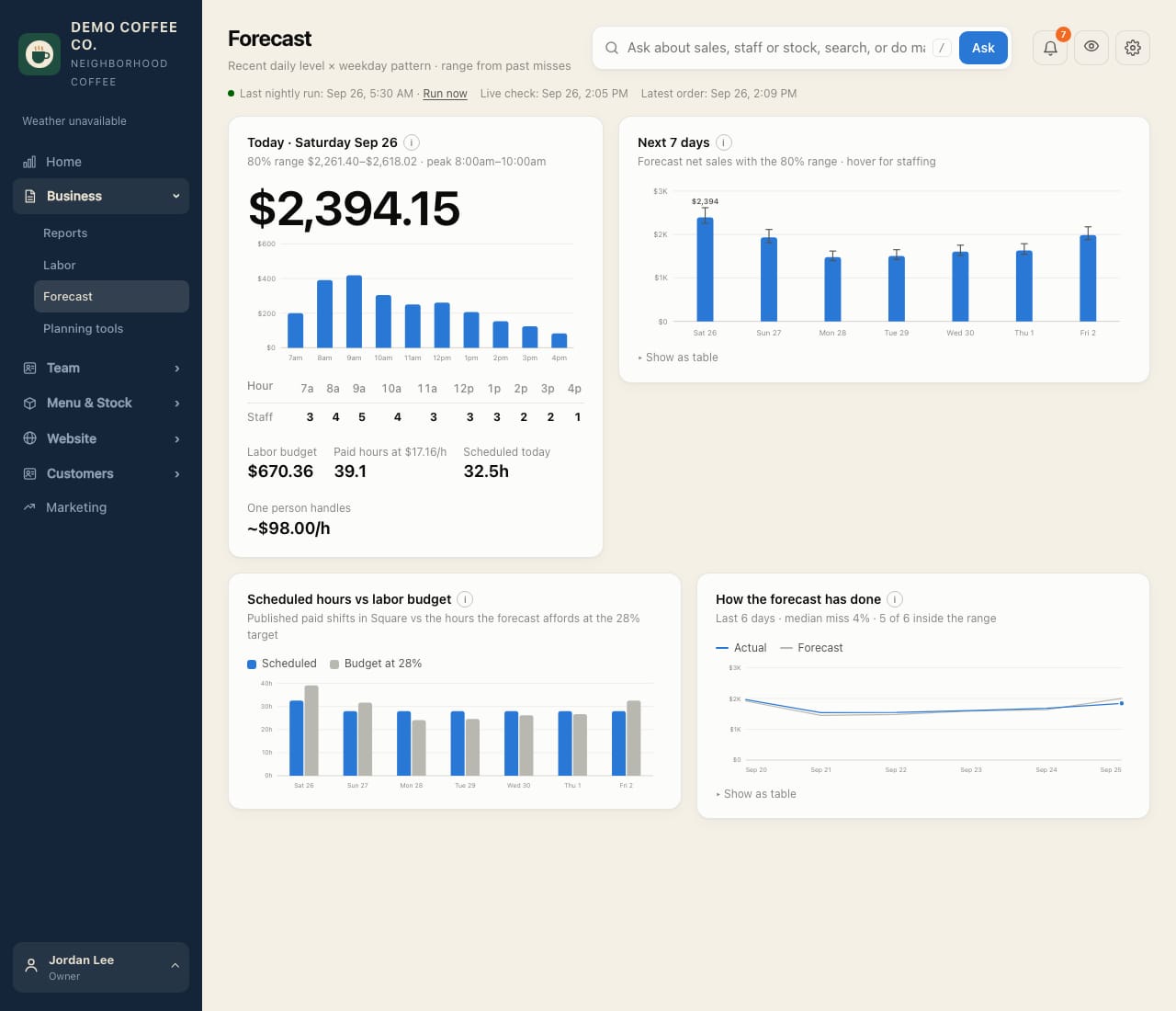
Know tomorrow's rush before it starts.
- Sales for today and the next seven days, hour by hour, with a realistic range.
- How many people each hour needs, and a labor budget at your target.
- Scheduled hours against that budget, and how close past forecasts came.
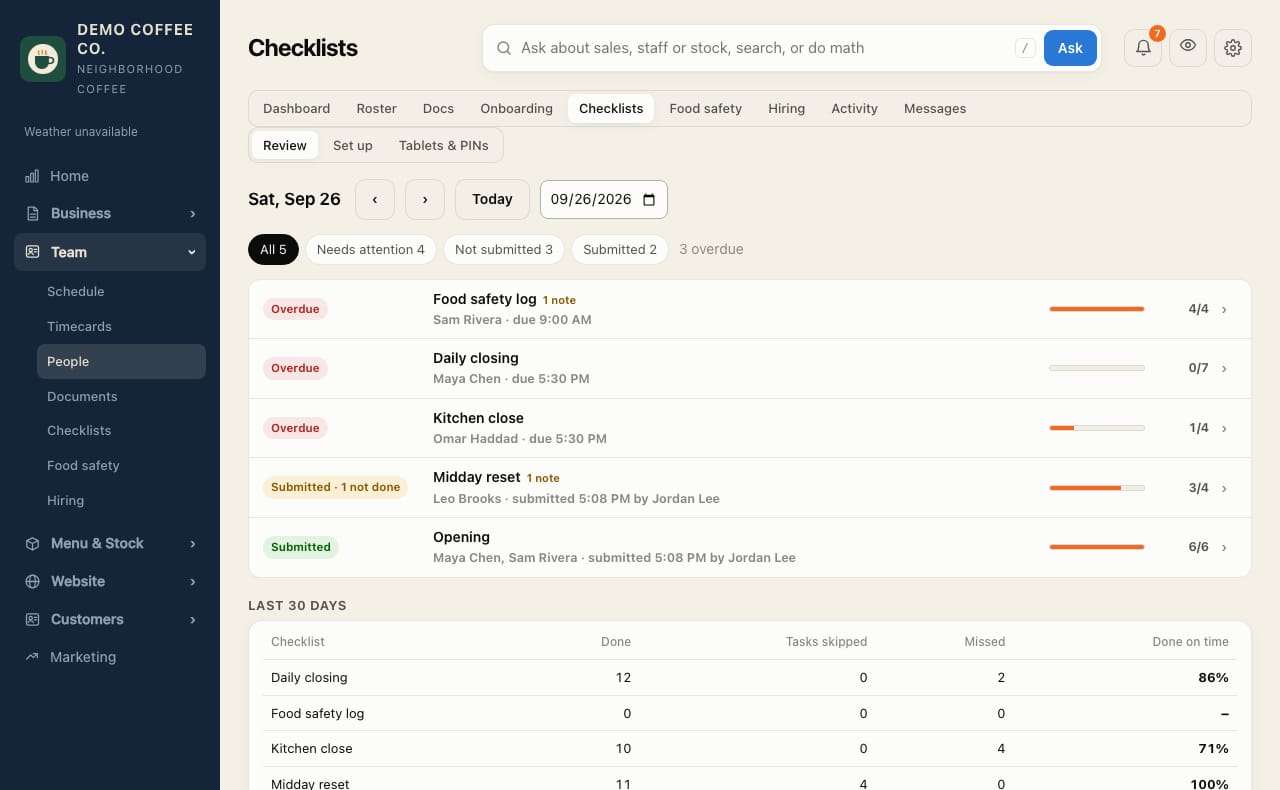
Opening and closing lists that get done, or get noticed.
- Lists go to whoever is opening or closing on the Square schedule.
- Staff tick tasks on their phone or a shared store tablet with their own PIN.
- Unfinished lists close as missed instead of piling up, and you see each list's last 30 days.
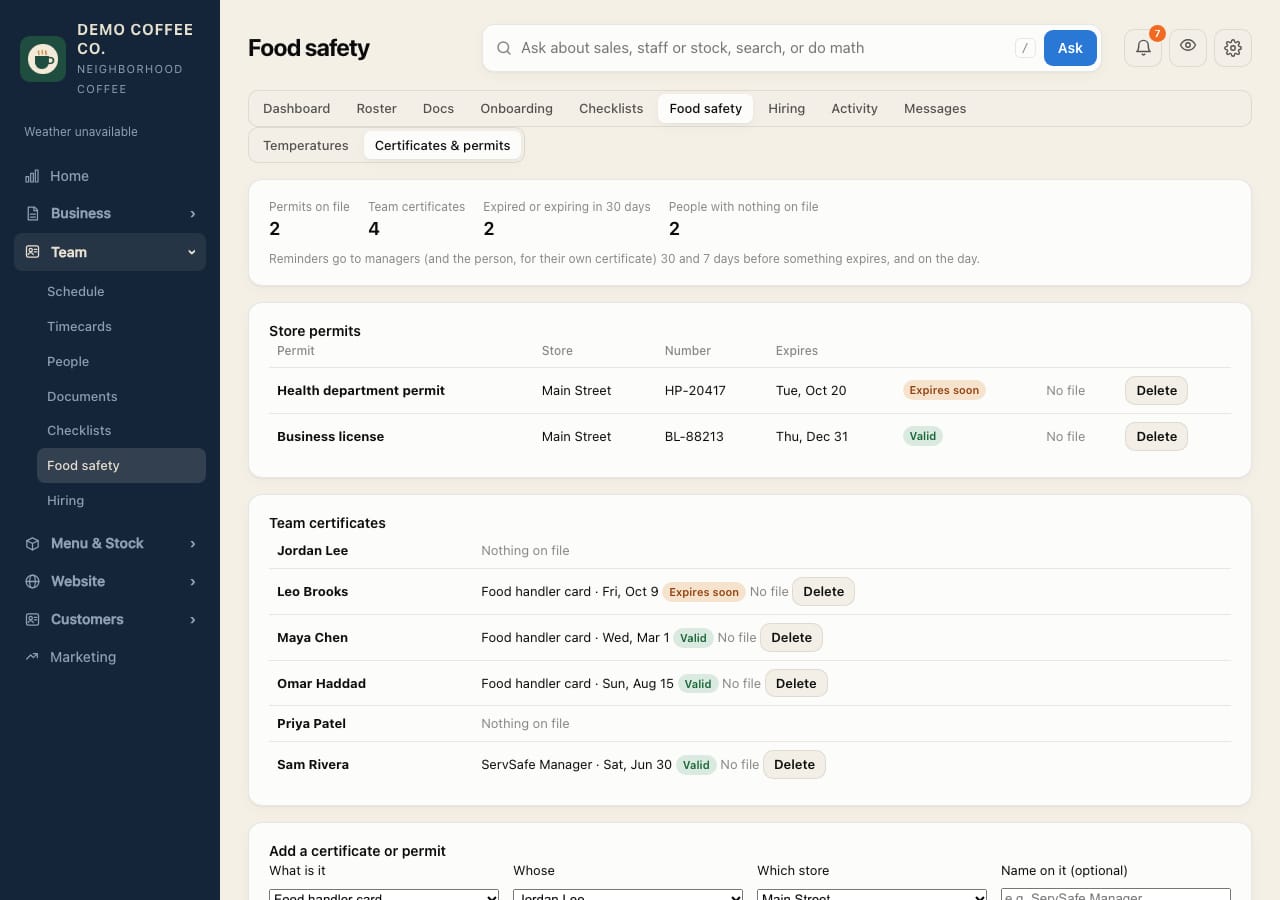
Ready when the inspector walks in.
- Fridge, freezer and hot-holding checks with a safe range. A reading outside it needs a note on what was done, and you're told right away.
- Every reading in one log, with a file to hand the inspector.
- Health permit, business license and each person's food handler card, with reminders before anything expires.
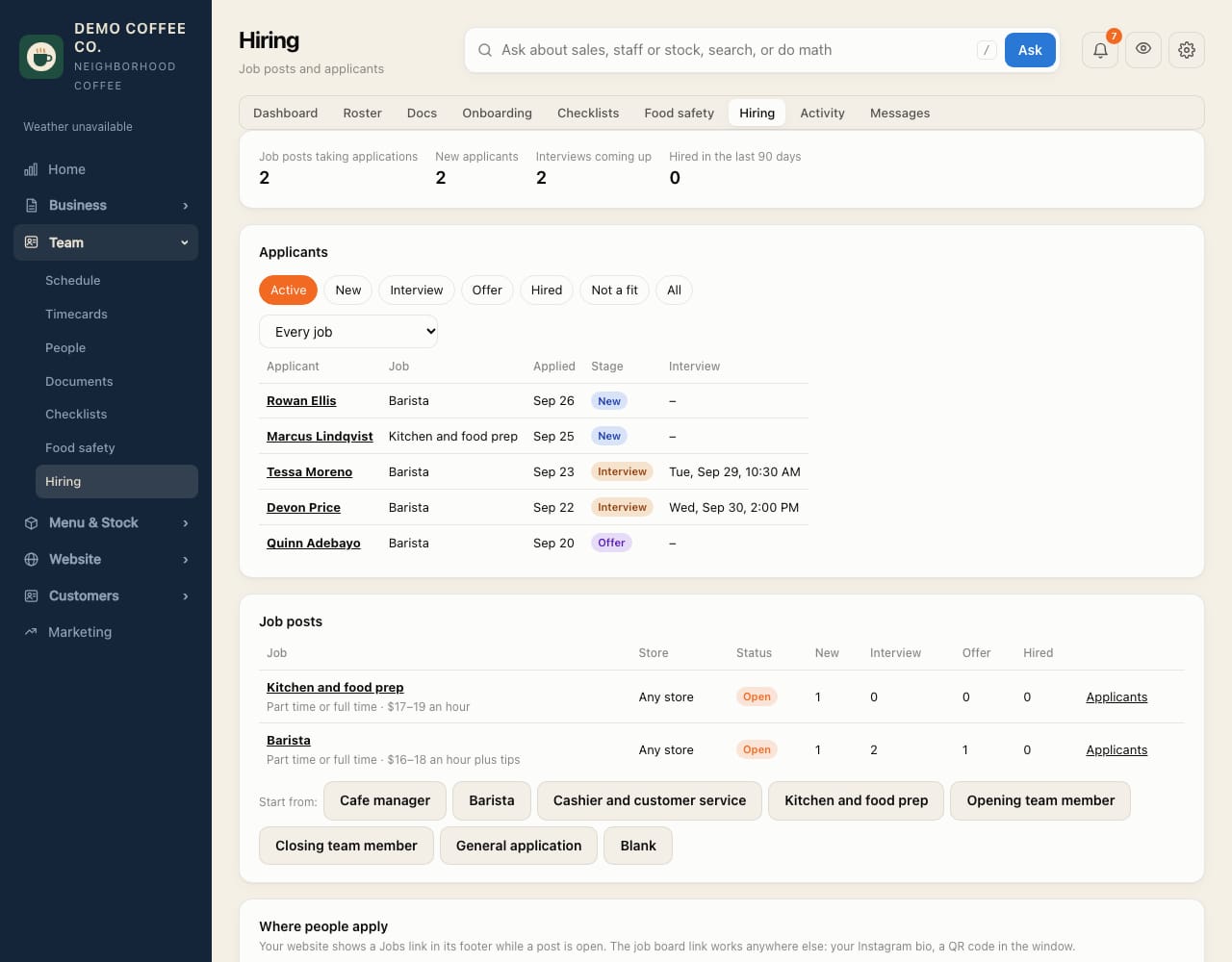
From "now hiring" to their first shift.
- Post a job from ready-made roles: manager, barista, cashier, kitchen, opening and closing. Not hiring? Take general applications instead.
- People apply from their phone on your website's Jobs page or a link for Instagram or a QR code, with an optional resume.
- Interviews, notes and offers in one list. Hire sends their invite and starts their onboarding plan.
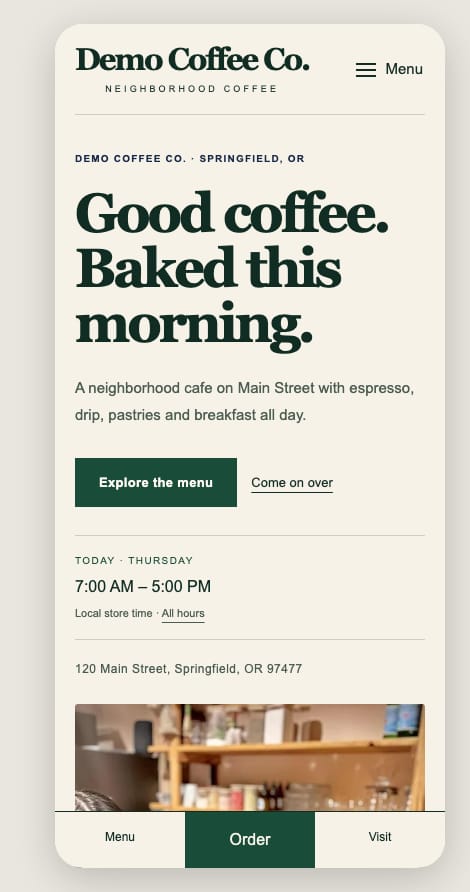
A cafe website you can change from your phone.
- Templates, colors and photos; menu pulled from Square, showing only what you choose.
- Hours, holiday hours, announcements and catering requests, kept in step with the business.
- A Jobs page with an apply form, shown only while you're hiring, and listed in Google's job search.
- Built for phones first, with a big Order button. We host it on your domain.
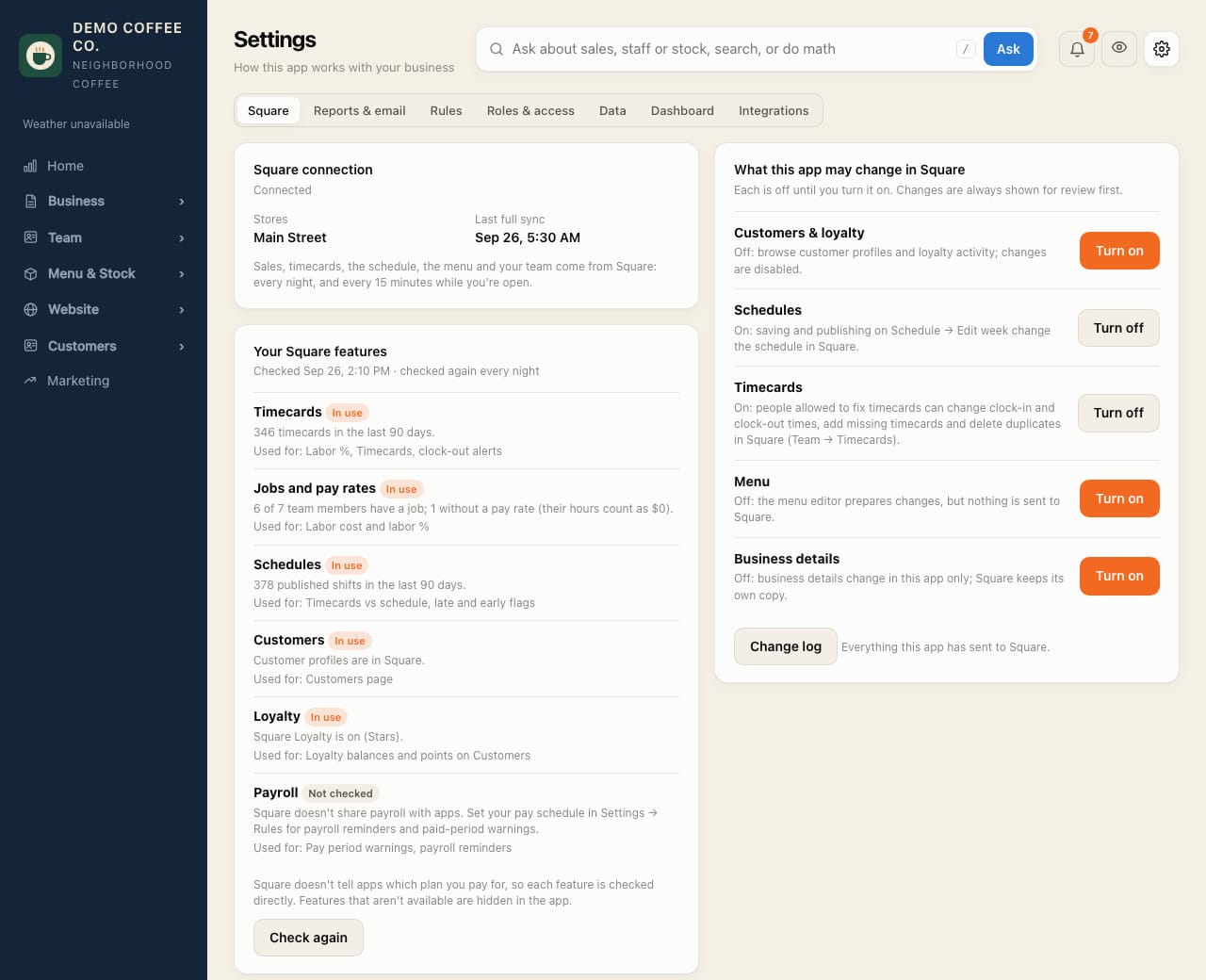
You decide what changes in Square.
- CafeDash only reads from Square until you turn on a change type: schedules, menu, timecards, business details, customers or loyalty.
- Every change is shown for review first, refused if someone changed it in Square meanwhile, and kept in a change log.
- CafeDash checks which Square features you use (timecards, loyalty, schedules) and hides what you don't have.
The rest of the back office.
Menu editing
Change items, sizes, prices, modifiers and photos, reviewed before anything is saved to Square.
Inventory and recipes
Stock in the units you buy, estimated from sales, with counts, waste, deliveries and batch prep.
Delivery receipts
Snap a supplier receipt, check the lines, and receive the stock in one step.
Ask AI
"How many grab-and-go burritos should we make today?" A short answer from your own numbers.
Reports and the evening email
A daily and weekly report, and the day's numbers in your inbox after close.
Team, documents and onboarding
Invites, roles, handbook sign-offs and an onboarding plan per role.
Messages and reminders
Shift, checklist and payroll reminders on the phone, and messages to the whole team.
Google Ads
Spend and results next to your sales, with changes you approve before they go live.
Google reviews
Your rating at a glance, an alert for every new review, AI-drafted replies you post from here, and optional thank-yous for 5-star reviews.
Connect other apps
Send each night's sales, missed checklists, temperature alerts or new applicants to Zapier, Make or n8n, and on to Slack, Sheets or texts.
More than one store
Each Square location is its own store, with an all-stores view side by side.
Priced per store, per month.
Basic
Run the day.
- Live dashboard
- Team, schedule and timecards
- Checklists and tablets
- Food safety logs and certificates
- Hiring and job posts
- Google reviews and replies
- Inventory, recipes and menu
- Customers and loyalty
- Phone reminders and messages
Reporting
See how it's going.
- Everything in Basic
- Daily and weekly reports
- Labor analysis
- The evening email
- Trends and live alerts
- Ask AI
Pro
Plan ahead.
- Everything in Reporting
- Sales forecast and staffing plan
- Suggested schedules
- AI notes and a weekly playbook
- Receipts read by AI
- Google Ads, website builder and hosting, with a Jobs page
Up and running in an afternoon.
Connect Square or Toast
Sign in to Square, or paste your Toast API credentials. Your stores and recent sales come in on their own.
Invite your team
Invite everyone from your point of sale at once. They choose a password and add CafeDash to their phone.
Turn on what you need
Pick a dashboard layout, set up checklists, and, on Square, switch on the changes you want sent back.
Click around a demo cafe.
The demo is a private, made-up coffee shop with three stores, a team and months of sales. Nothing you do there touches a real business.
Screenshots show a made-up business with generated data. CafeDash works alongside Square and keeps Square as the place for payments, checkout and loyalty program setup. Prices are per store per month.