Built for cafes using Square · one store or many

Know your numbers.
Organize your team.
Stay ahead of stock.

Sales, schedules, checklists, food safety, hiring and inventory in one place, connected to Square. A dashboard for you, an app for your team, and a report in your inbox every evening.

No sign-up: explore a made-up three-store cafe. Nothing you change is kept. Built at Artessence Coffee in Jacksonville.

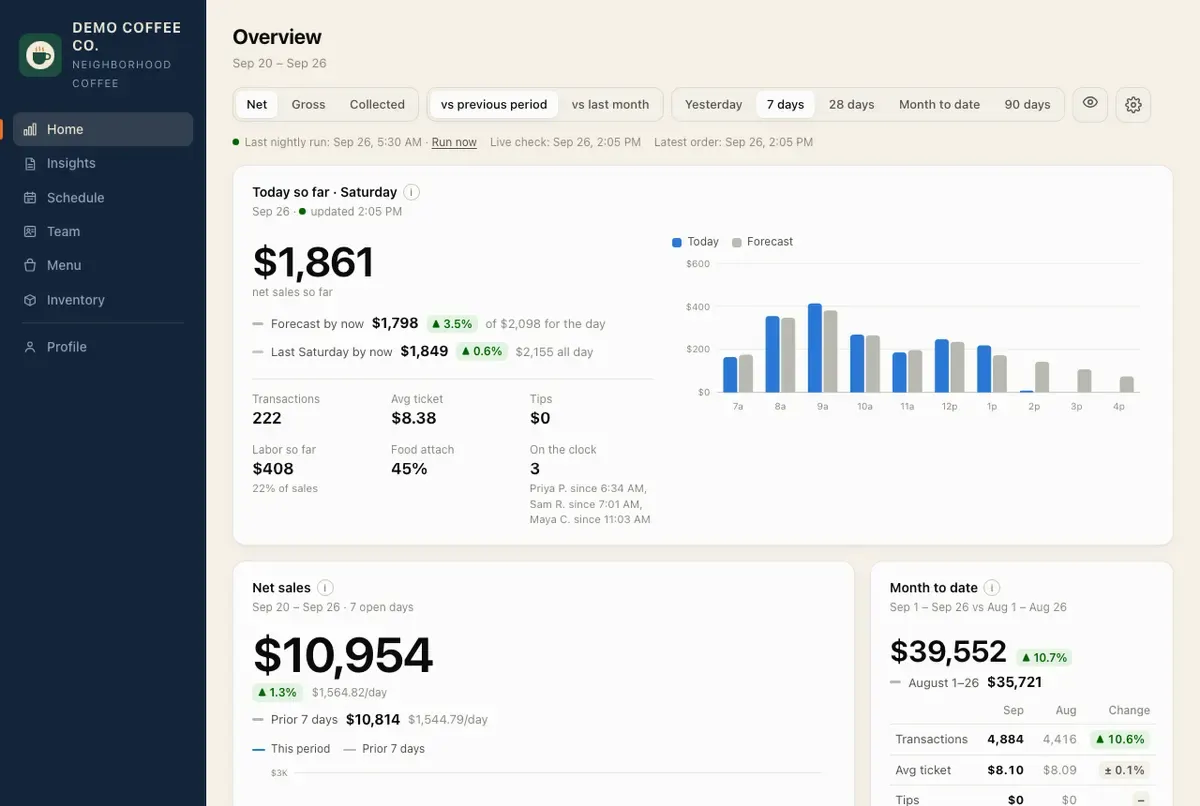
The owner dashboard: today's sales against the forecast, who's on the clock, net sales and month to date
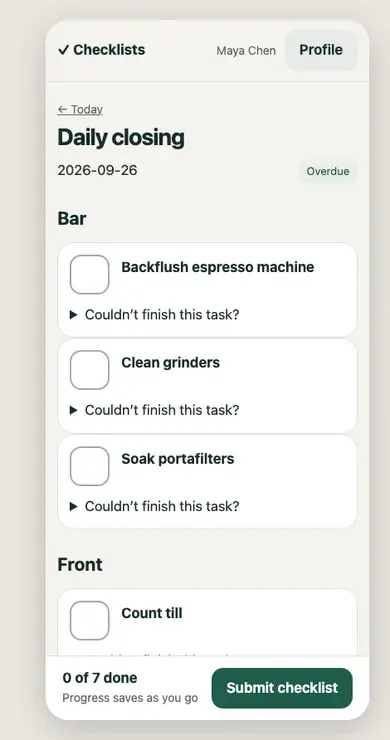
A closing checklist on a phone

Real screens · a fictional demo cafe · no real customer data

Connects with SquareDesktop, phone and store tabletOne store or manyAccess by role

Works with the tools you already use.

SquareSales, menu & team
Google AdsCampaigns & performance
Your emailScheduled reports via SMTP
Your calendarSubscribe to schedule feeds
Zapier, Make & n8nSend events to other apps
Google reviewsRating, alerts & replies

Connect your accounts in settings. Available features depend on your plan and permissions.

One workspace. Three everyday needs.

Less chasing. More clarity.

From the morning numbers to the closing checklist, keep the important parts of running your shop together.

01 / Understand

See how the business is doing.

Go beyond a sales total. See what changed and where to look next.

  • Live sales, labor and tips
  • Comparisons with last week, last month and last year
  • Daily and weekly reports in plain language
  • An evening email: sales, who worked, what's unfinished
02 / Organize

Give the team a clear next step.

Shifts, checklists and training in one place, on any phone.

  • Edit and publish schedules to Square
  • Timecards by day or week, fixed in Square
  • Time off, availability and shift swaps
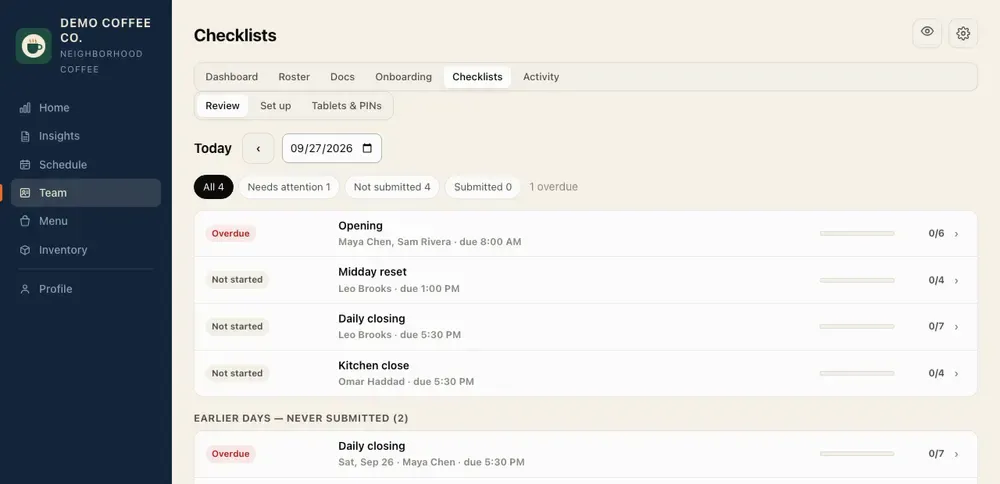
  • Opening, closing and cleaning checklists
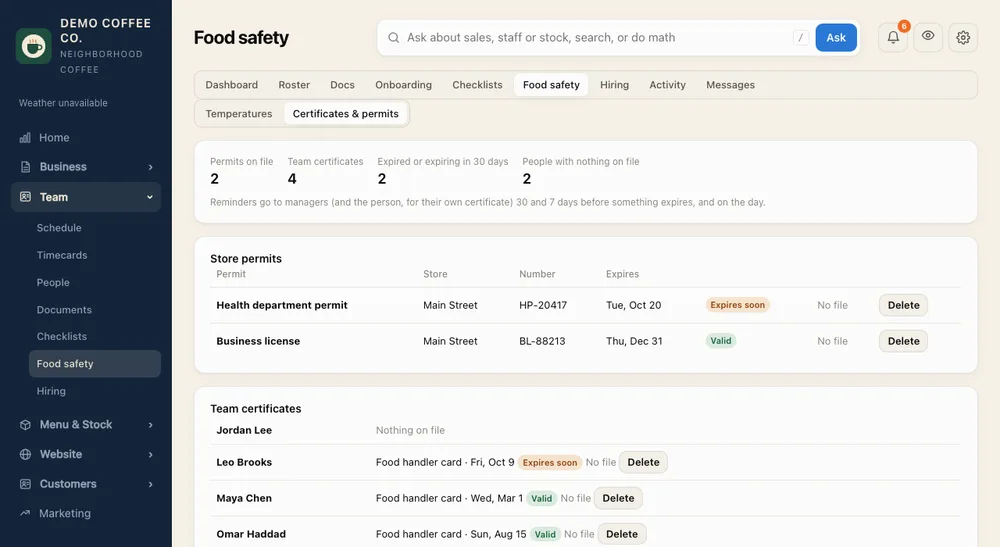
  • Food safety: temperature logs, certificates and permits
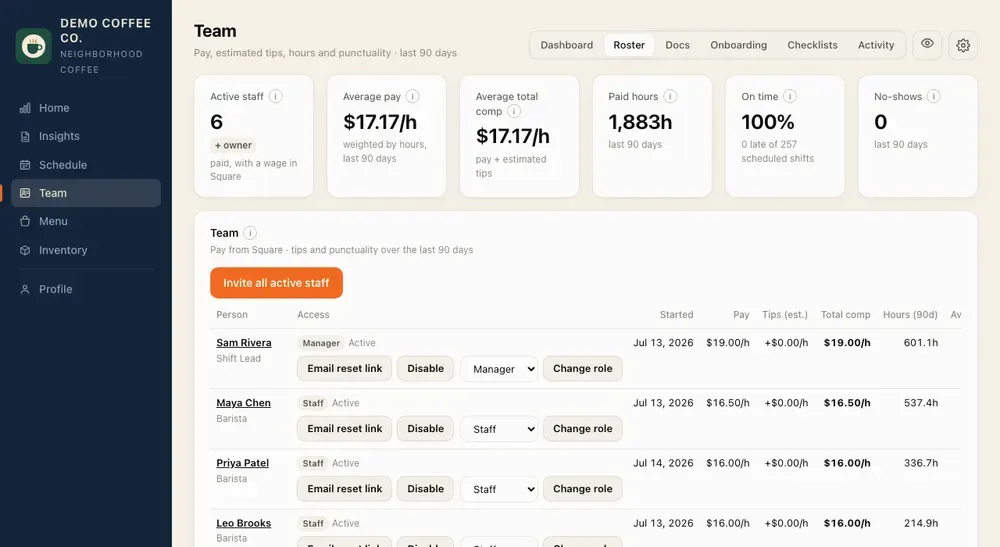
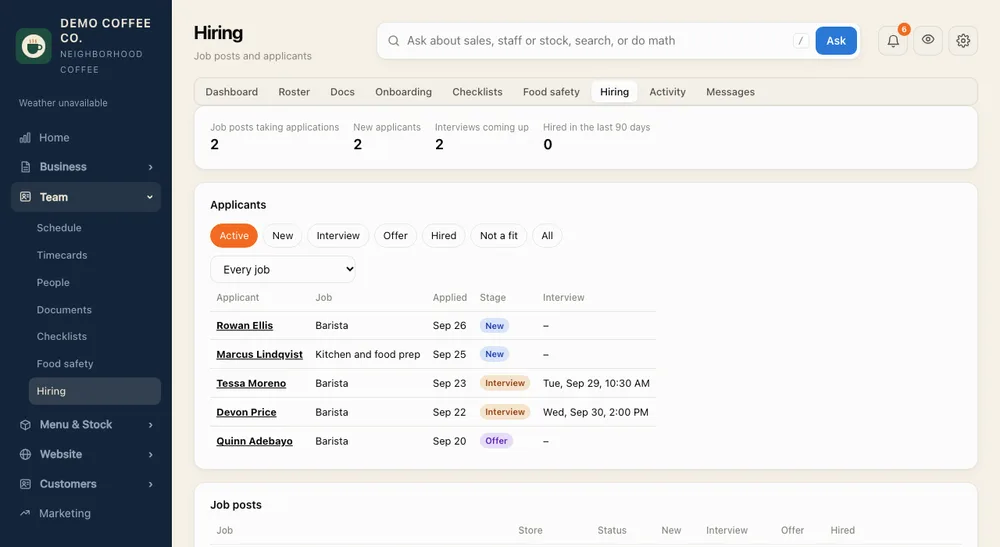
  • Hiring: job posts, applicants and onboarding
03 / Prepare

Know what is on the shelf.

Connect ingredients and recipes to what you sell. Keep the menu in step with Square.

  • Stock per store, counts and recipes
  • Receipts turned into stock received
  • Estimated usage from each day's sales
  • Menu items, modifiers and photos
A look inside

Made for how a cafe runs.

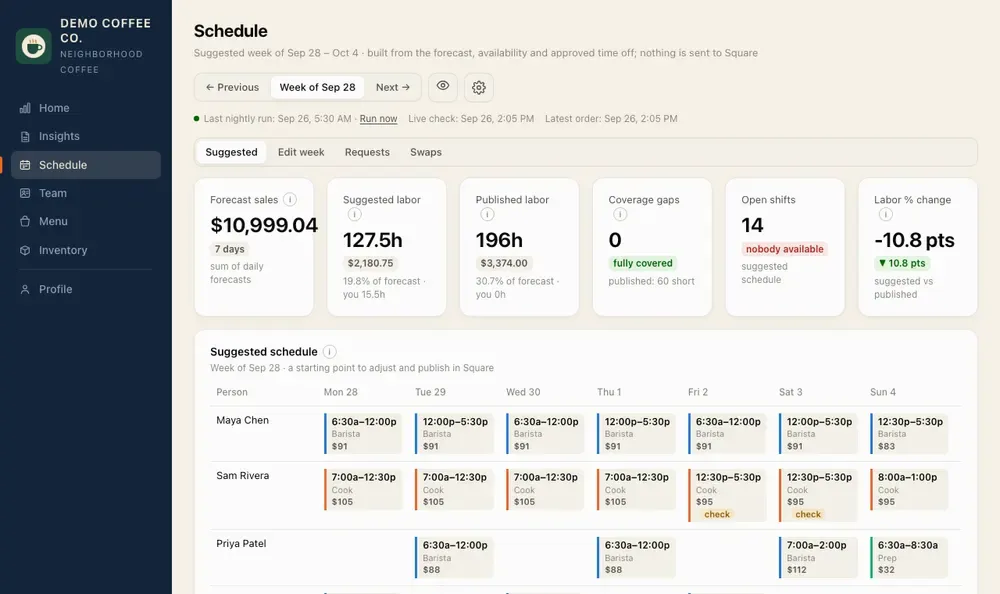
Every screen works on a phone. Staff see what they need; pay and owner numbers stay with the people allowed to see them.

In your inbox every evening

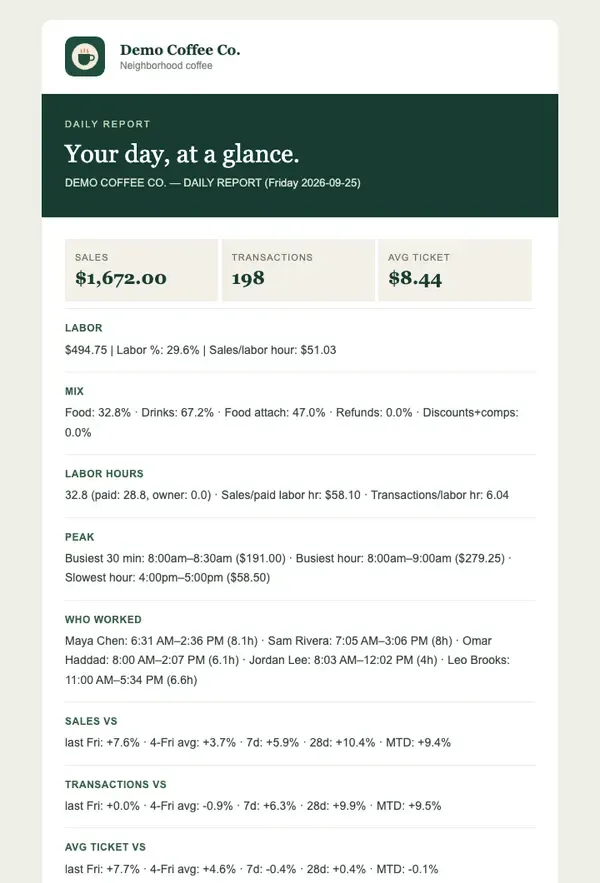
Your day, at a glance.

A short, branded email at the time you choose, to you and anyone else who should get it.

  • Sales, labor and your busiest and slowest hours
  • Who worked, with clock-in and clock-out
  • Checklists not submitted, or submitted with notes
  • Tomorrow's forecast and staffing plan
The evening report email with the cafe's logo
Website builder & hosting · Included in Pro

Your counter. Your community.
Your corner of the internet.

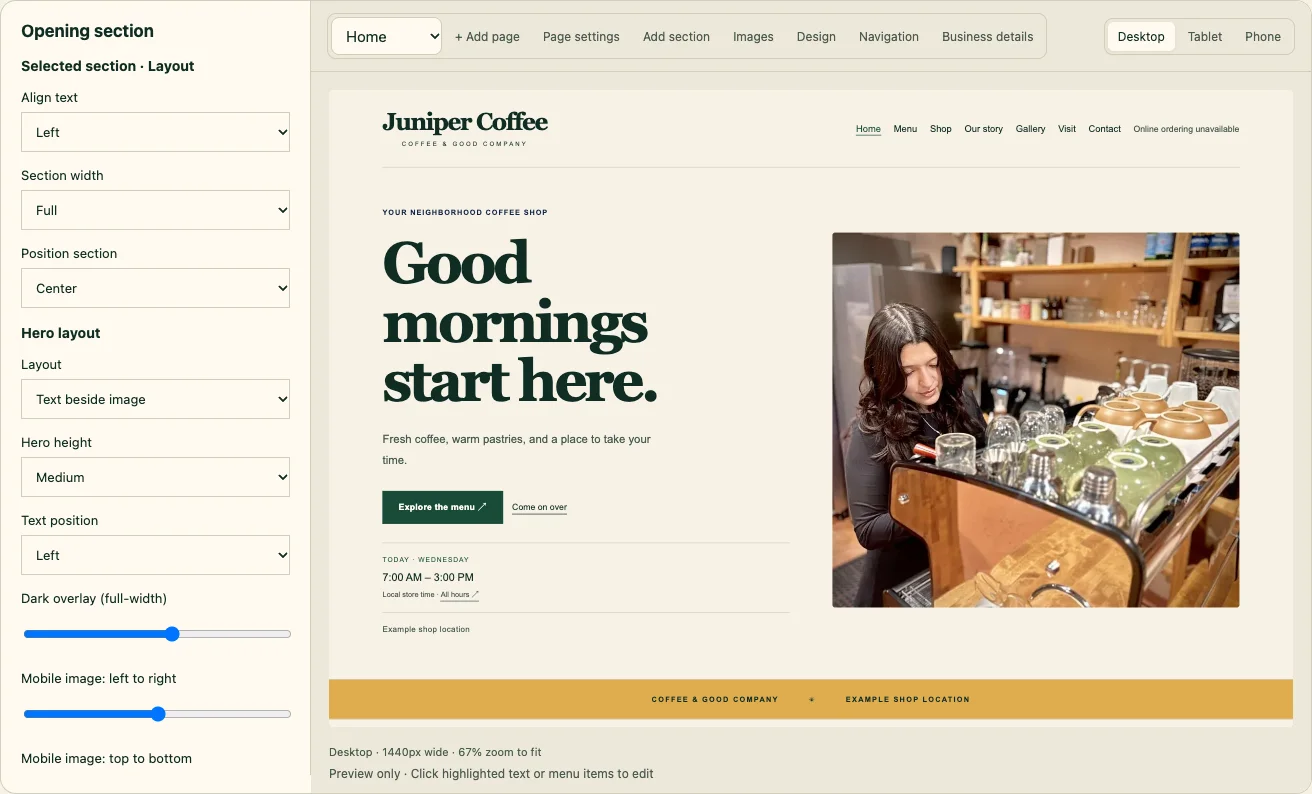
Build a website that feels like your shop. Click a section to edit it, try a new look, and publish when you’re ready—all inside CafeDash.

CafeDash visual builder with hero layout controls alongside a Juniper Coffee website preview.
Click the preview. Edit what you see.
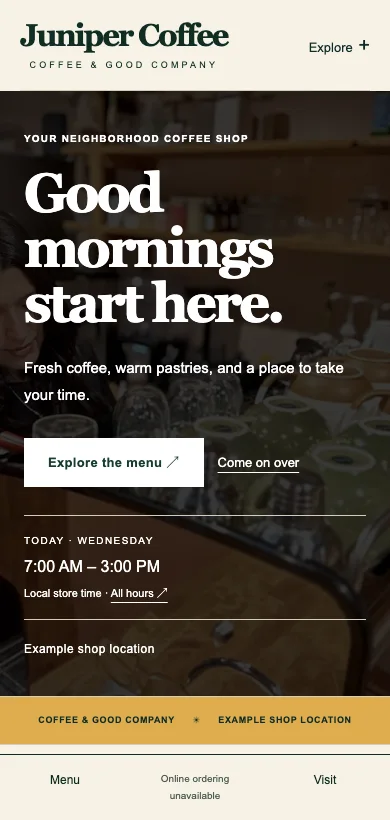
A fictional Juniper Coffee website on a phone, with a full-width photo and readable headline.
Check the phone view before publishing.

Builder and website previews with fictional example content.

Make it yours

Templates, full-width heroes, photos, colors, FAQs, social icons, and editable footer links.

Keep updates simple

Curate your website menu, choose Square categories for the shop, and save drafts before publishing.

Give it a home

Website hosting is included with Pro. We help connect your domain during setup.

Pricing

Simple monthly plans.

Start with the basics, add reporting, or let AI help plan the week ahead.

Basic

Run the day

$29 / store / month

Your live numbers and your whole team, organized.

  • Live sales dashboard
  • Schedule editing and publishing to Square
  • Time off, availability and shift swaps
  • Daily checklists on phone and store tablet
  • Timecards by day or week
  • Food safety logs, certificates and permits
  • Hiring: job posts and applicants
  • Google reviews: alerts and replies
  • Onboarding, handbooks and training guides
  • Inventory, recipes and menu editing
  • Reminders on your team's phones
Get started
Reporting

See how it's going

$59 / store / month

Everything in Basic, plus reports that tell you how you're doing.

  • Everything in Basic
  • Daily and weekly reports
  • Evening report email
  • Trends worth your attention
  • Live labor and clock-out alerts
  • Ask AI about your numbers
Get started
Pro

Plan ahead with AI

$129 / store / month

Everything in Reporting, plus AI planning and a website of your own.

  • Everything in Reporting
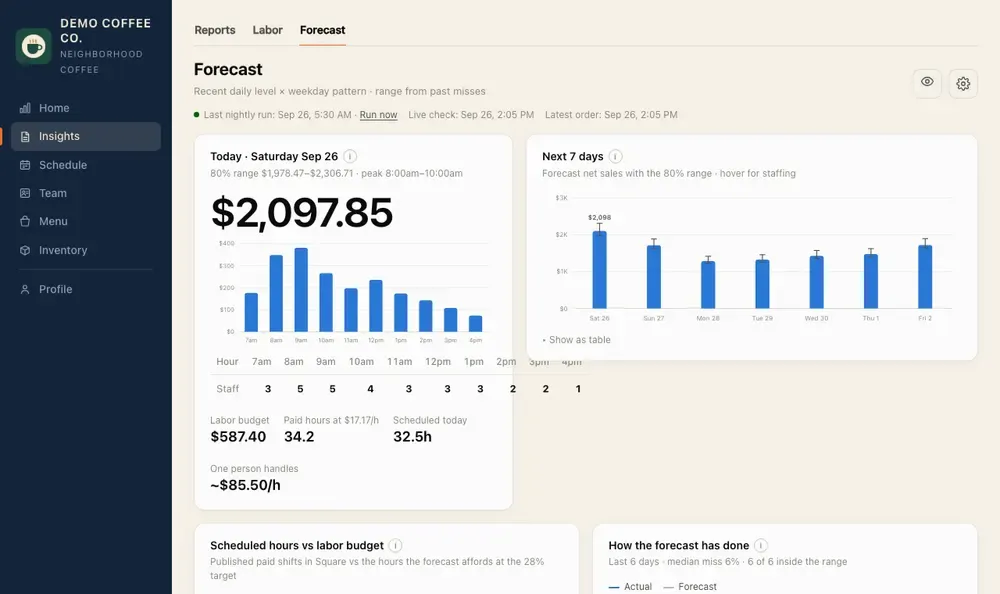
  • Sales forecasts, hour by hour
  • Suggested schedules from the forecast
  • Staffing plan and labor budget
  • AI-written insights in your reports
  • Weekly improvement playbook
  • Receipts read into stock automatically
  • Google Ads results next to your sales
  • Website builder & hosting, with a Jobs page
  • Templates, visual editing and a curated Square menu
Get started

Priced per store, per month: a cafe with three stores on Reporting pays $177 a month. For pilot shops, we confirm your plan together before you begin.

Built behind a real counter

It started with our own coffee shop.

CafeDash grew out of running Artessence Coffee in Jacksonville: understanding the numbers, organizing the team and keeping the everyday details in one place.

Now we are inviting a few local cafe owners to help shape what comes next. A small pilot means a direct conversation about how your shop actually works.

Help shape the platform ↗
At the counter. Away from the shop.

A website for you. An app-like home for staff.

Hosted online, so your cafe computer does not have to stay on. Use a browser on desktop or phone, and add it to your home screen for quick access.

1
Connect your shopWe set up your Square connection together and bring in your sales history, team, schedule and menu.
2
Invite your teamEveryone gets an email to set up their own sign-in, with access that fits their role.
3
Make it part of the dayCheck the numbers, tick off checklists and see the next shift from any phone. An internet connection is required.
A few things to know

Start with a clear picture.

Do I have to replace Square?

No. Square stays your point of sale. CafeDash reads your sales, team, schedule and menu from Square. It only changes things in Square, like publishing a schedule or updating the menu, when you turn that on, and it shows you each change first.

What's the difference between the plans?

Basic covers daily operations, team tools and inventory. Reporting adds reports, trends and AI questions about your numbers. Pro adds forecasting, suggested schedules, AI insights, receipt reading, Google Ads reporting, and website builder and hosting.

Does it work with more than one store?

Yes. Each Square location becomes a store with its own hours, reports, checklists and stock, and you can compare all of them side by side. People can be limited to the stores they work at.

Can my staff use it on their phones?

Yes. Staff see their schedule, checklists, onboarding and team documents, and can ask for time off or swap shifts. A shared store tablet works too: each person taps their name and enters a PIN.

Who can see pay and team documents?

Access is controlled by role and permissions. Staff never see pay or owner numbers unless you allow it. Team handbooks and training documents are not sent to AI.

Can people apply for jobs on my website?

Yes. Post a job in CafeDash, starting from ready-made roles like barista, cashier, kitchen, opening and closing, and it appears on your website’s Jobs page with an apply form, plus a link you can share on Instagram or a QR code. Applicants land in one list where you schedule interviews, keep notes and hire. Hiring sends their invite and starts their onboarding plan.

Does it connect to my other apps?

Square, Google Ads, Google reviews, your email and your calendar are built in. For anything else, the owner can send CafeDash events, like each night’s sales, a missed checklist, a temperature out of range or a new applicant, to Zapier, Make or n8n, and from there to Slack, Google Sheets, texts and thousands of other apps.

Does inventory know exactly what is left?

Stock usage is an estimate based on recipes and each day's sales. Real counts account for waste, portion differences and missing entries. Receipt details are reviewed before they update stock.

For our first local shops

Let's build a better cafe day.

Run a cafe using Square? Tell us about your shop and the part of the day you would most like to simplify.

Prefer to write to us? Contact Artessence Coffee ↗ and mention the software pilot.
Personal setup. Honest feedback. A say in what comes next.