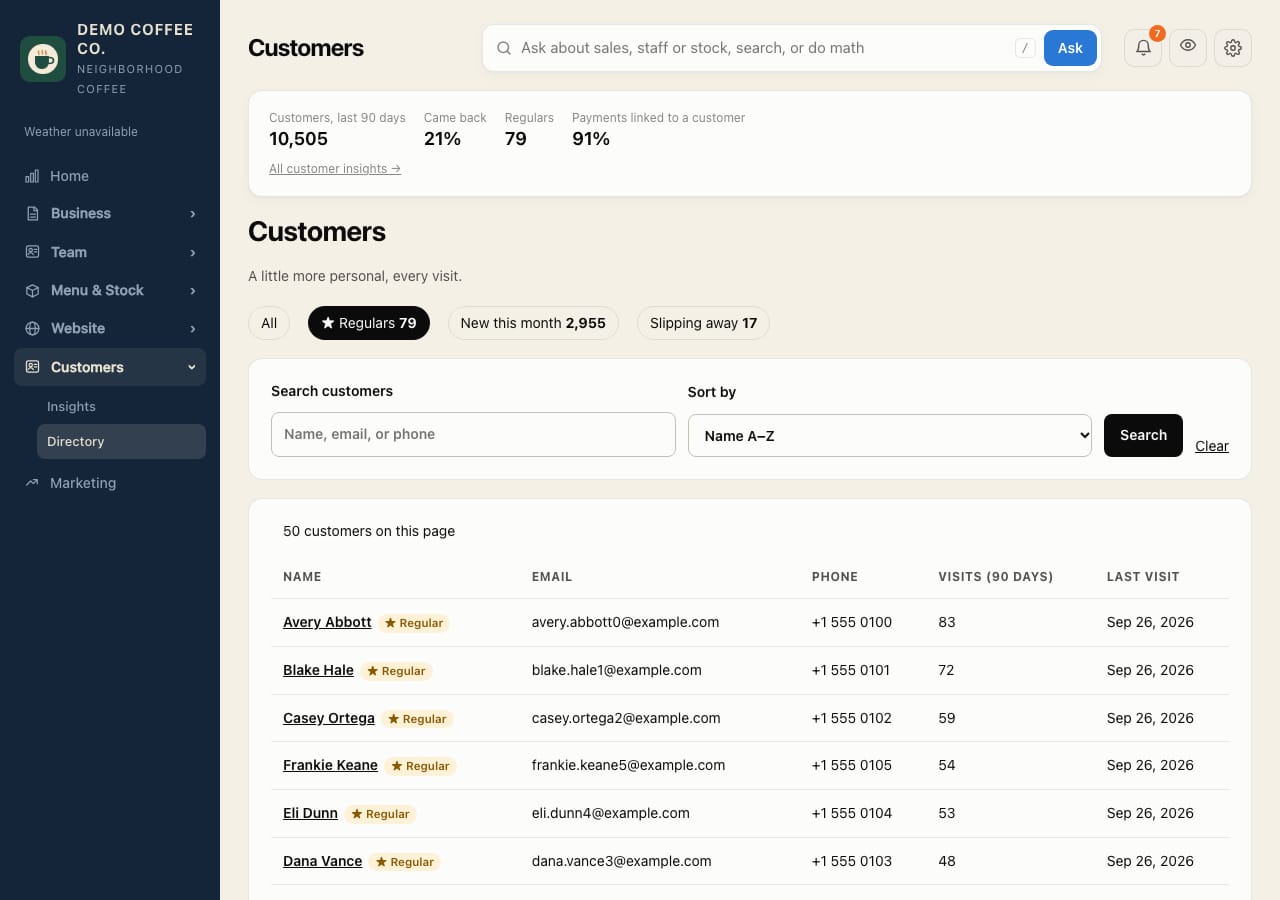
Find your regulars and win back lapsed ones
See who comes back, who your regulars are, and who has stopped coming.
- Open Customers → Directory. Tap ★ Regulars, New this month or Slipping away, or search by name, email or phone.
- Open a customer to see their visits, what they buy (with sizes, options and discounts) and their loyalty balance.
- Open Customers → Insights for the return rate, regulars' share of sales and top customers.
- Under Slipping away, Download win-back list gives the regulars who agreed to marketing email, for Square Marketing or your email tool.
What counts as a regular, and when someone is slipping away, is set in Settings → Rules.
Changing a customer's profile or loyalty points needs the permission, and Customers & loyalty turned on in Settings → Square.