Edit your website
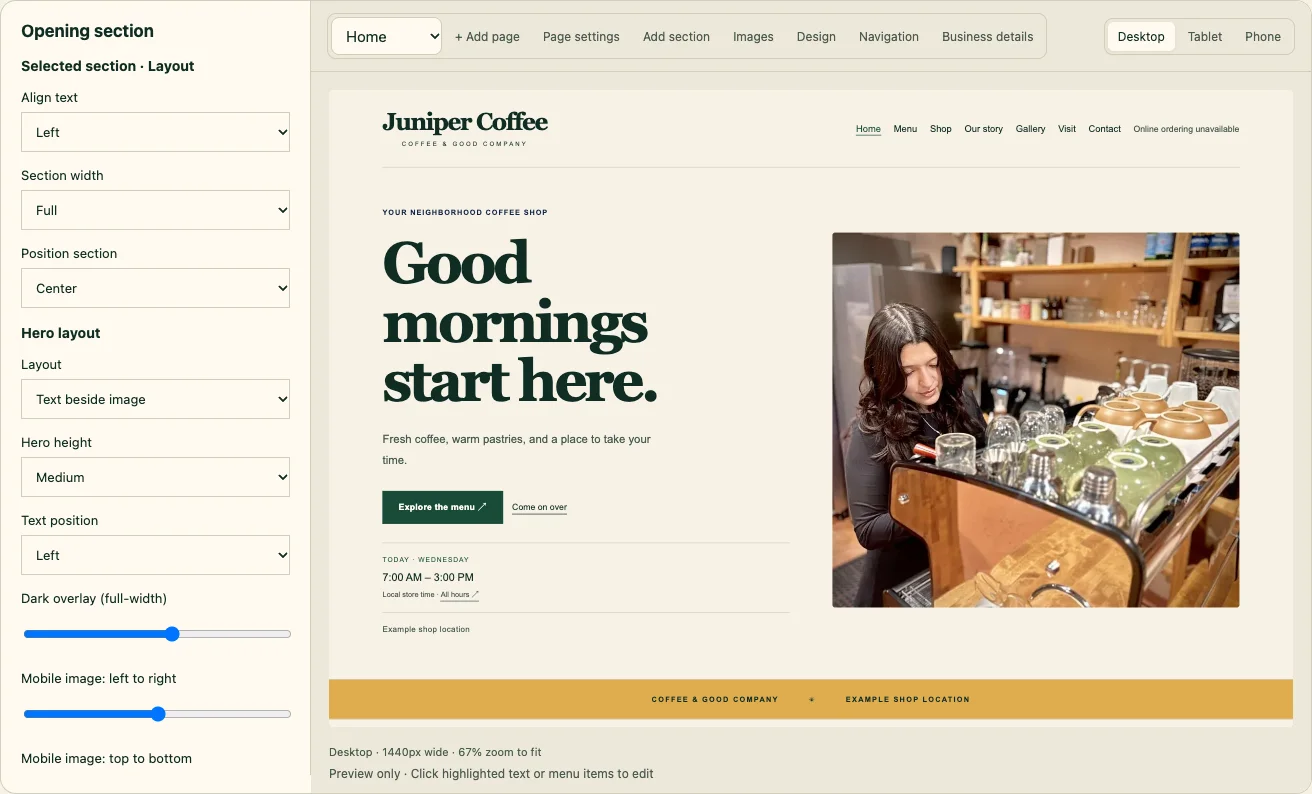
Click any highlighted text or section in the preview to change it, then publish.
- Open Website → Website editor. Your site shows as a live preview.
- Click highlighted text (a headline, a paragraph, a button) to edit it in the panel. Pick the page at the top-left to edit another page.
- Add section adds a new block to the page: text, photos, a menu highlight, questions and answers, testimonials and more. Use ↑ Move up, ↓ Move down or Remove section on any section.
- Switch between Desktop, Tablet and Phone to check each size.
- Changes save as a draft as you go. Tap Publish changes when you're ready, or Review before publishing (in More tools) to see what changes.
Made a mistake? Undo, or open Website → Version history and Restore as draft.