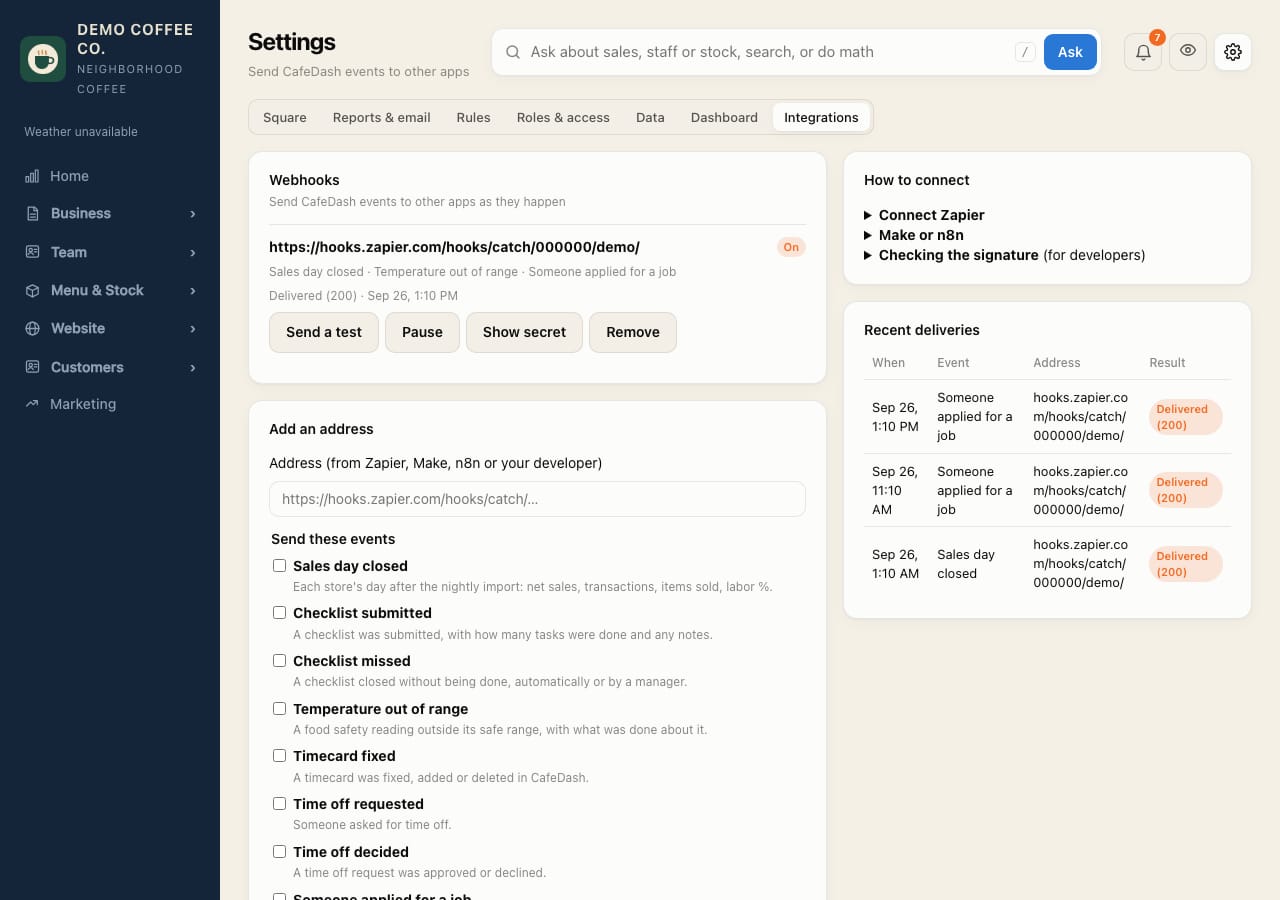
Connect CafeDash to Zapier, Make or n8n
Send events like each night's sales, a missed checklist or a new applicant to other apps.
- In Zapier, make a Zap with Webhooks by Zapier → Catch Hook as the trigger, and copy its address. (Make: Webhooks → Custom webhook. n8n: the Webhook node.)
- In CafeDash, open Settings → Integrations, paste the address and tick the events to send.
- Tap Add address. Keep the signing secret it shows if a developer needs it.
- Tap Send a test, then in Zapier tap Test trigger. Now build the rest of the Zap: a Slack message, a Google Sheets row, a text.
Recent deliveries shows what was sent. Failed sends are retried for about 15 hours.