Invite someone, or reset their password
Give a team member their own sign-in, resend an invite, change a role or disable an account.
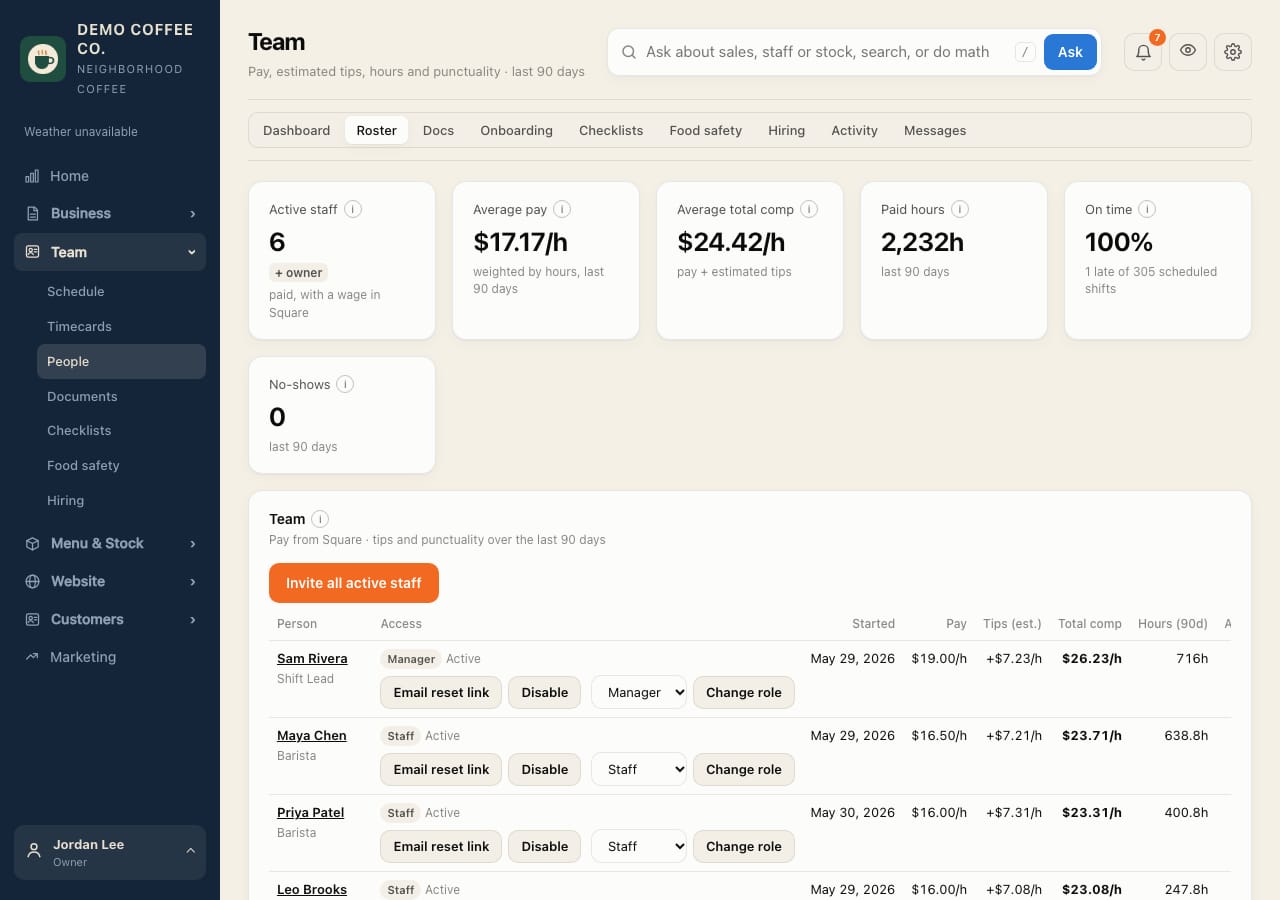
- Open Team → Roster. Everyone in Square is listed.
- Tap Invite next to someone without an account, or Invite all active staff for everyone at once. They get an email; the link works for 7 days.
- Not in Square? Use Invite someone not in Square at the bottom.
- Invite not arrived or expired? Tap Resend invite. Forgot their password? Tap Email reset link (it works for 24 hours).
- To change access, pick a Role and tap Change role. Someone leaving: tap Disable.
If an email can't be sent, the page shows the link to copy and text them instead.