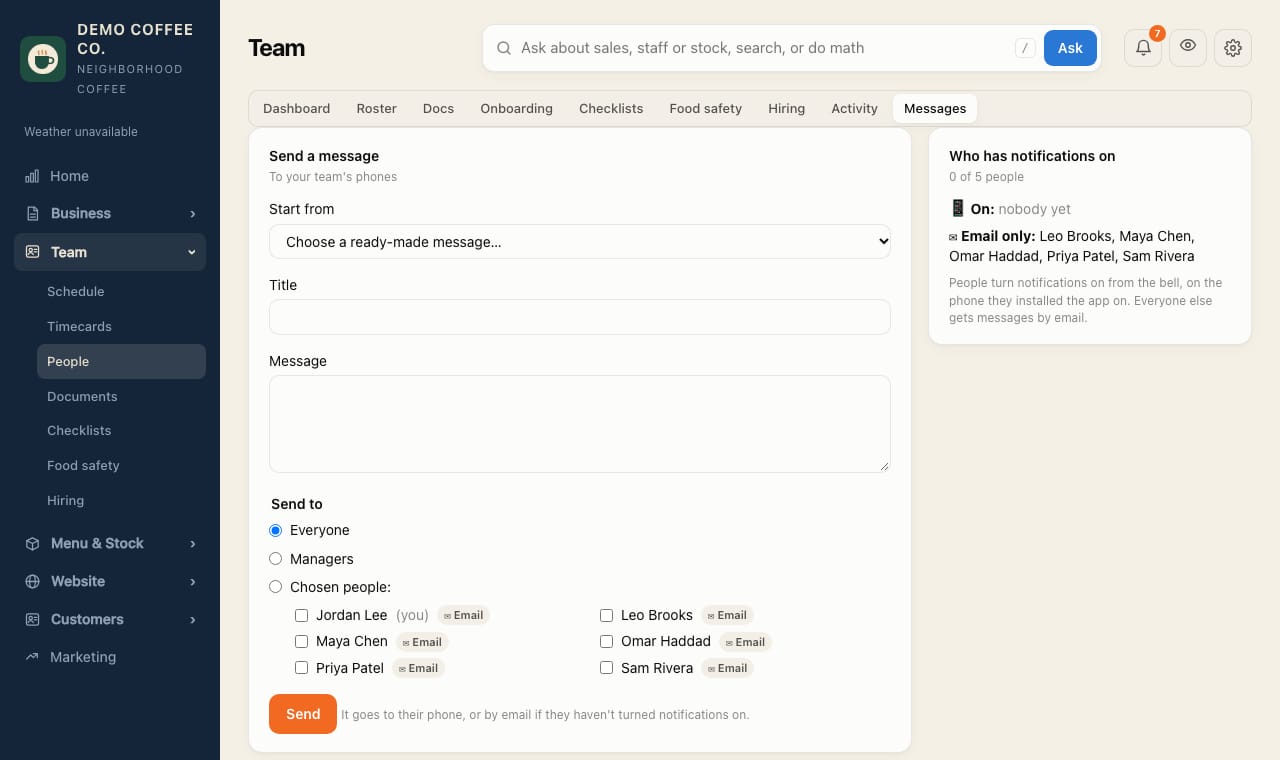
Message the team
Send a notification to everyone, managers, a store or chosen people.
- Open Team → Messages.
- Under Start from, choose a ready-made message (Staff meeting, Closing early today…) or Blank message.
- Write the Title and Message.
- Under Send to, choose Everyone, Managers or Chosen people. Each name shows 📱 Phone or ✉︎ Email: how it will arrive.
- Tap Send.
Want to test it first? Pick yourself under Chosen people.