Keep certificates and permits on file
Store permits and the team's food safety certificates, with reminders before they expire.
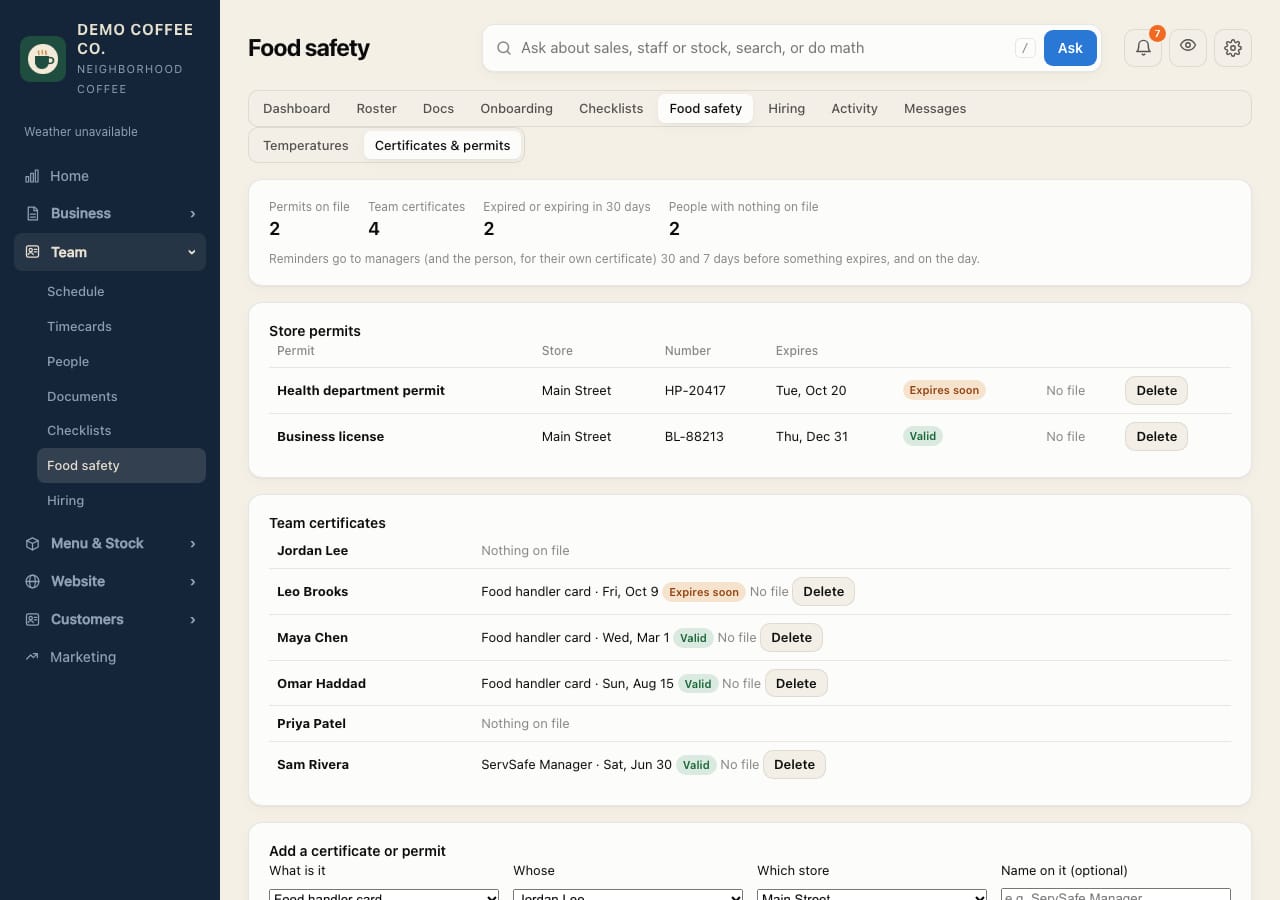
- Open Team → Food safety → Certificates & permits.
- Under Add a certificate or permit, choose what it is: a person's (food handler card, manager certification, allergen) or a store's (health permit, business license, fire inspection).
- Choose whose or which store, add the number, issue and expiry dates, and a photo or PDF, then tap Add.
- The page shows what's expired or expiring in the next 30 days, and who has nothing on file.
Reminders go out 30 days and 7 days before, and on the day, to managers and the person.
Staff can add their own card from their Profile: see Add your food handler card.