Connect your Square account
Sign in to Square once. Your stores, team, schedule, menu and the last 90 days of sales come in on their own.
- Open Settings → Point of sale and tap Connect with Square.
- Sign in to Square with the account that owns the business, and approve access.
- You're brought back to CafeDash. Your stores and the last 90 days come in over the next few minutes.
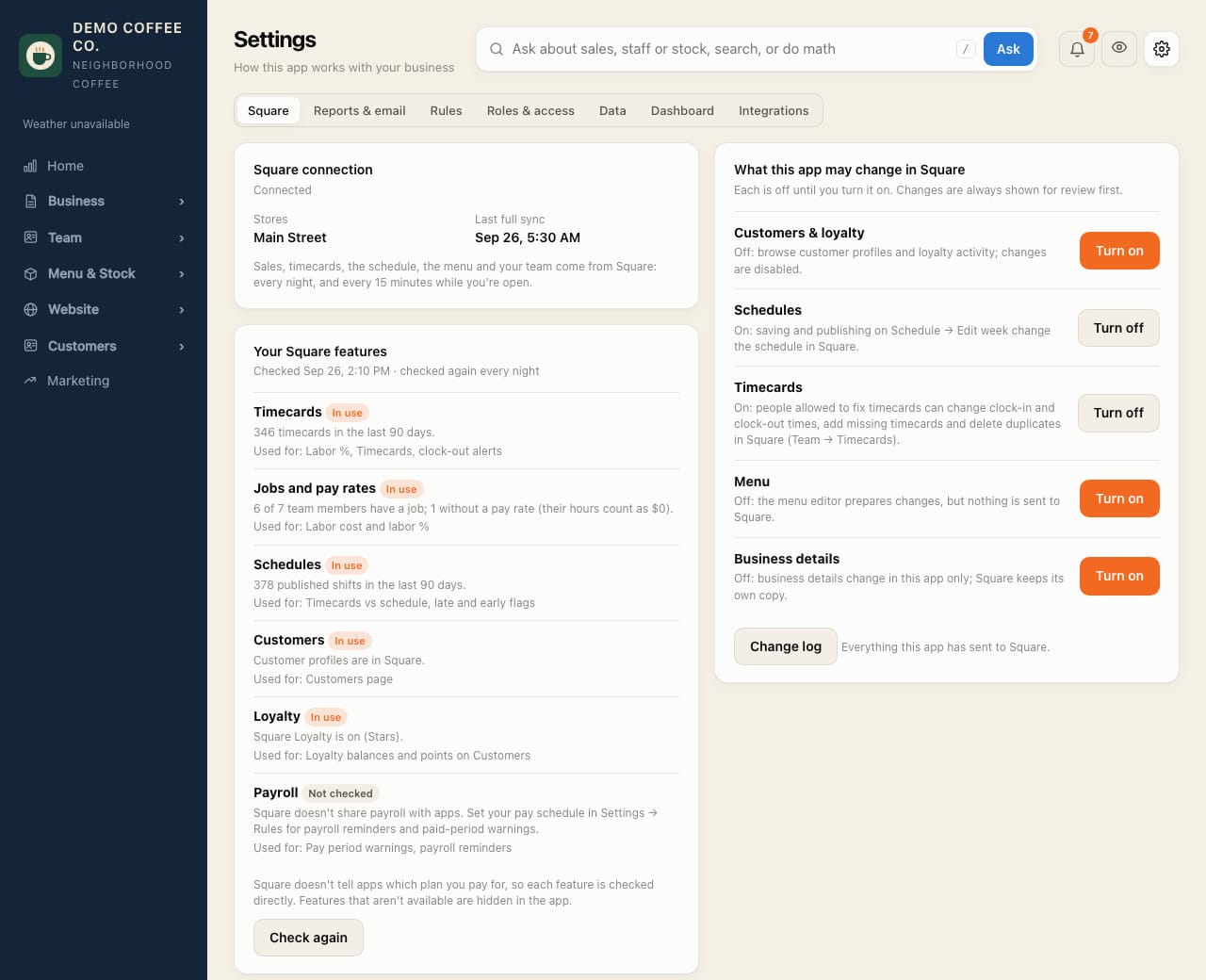
- Check Your Square features: it shows what your Square plan has (timecards, jobs and pay rates, schedules, customers, loyalty). Features you don't have are hidden in CafeDash.
From then on, sales and timecards update every 15 minutes while you're open, and everything is imported again each night.
Connecting only lets CafeDash read. It changes nothing in Square until you turn that on: see What CafeDash may change in Square.