Get CafeDash on your phone
Set your password from the invite email, then add CafeDash to your home screen. Nothing to download.
- Open the invite email from your cafe and tap the button. The link works for 7 days.
- Check your email address, choose a password (at least 6 characters) and tap Create my account.
- If your cafe has a shared tablet for checklists, you're asked to choose a tablet PIN next. You can Skip it and do it later.
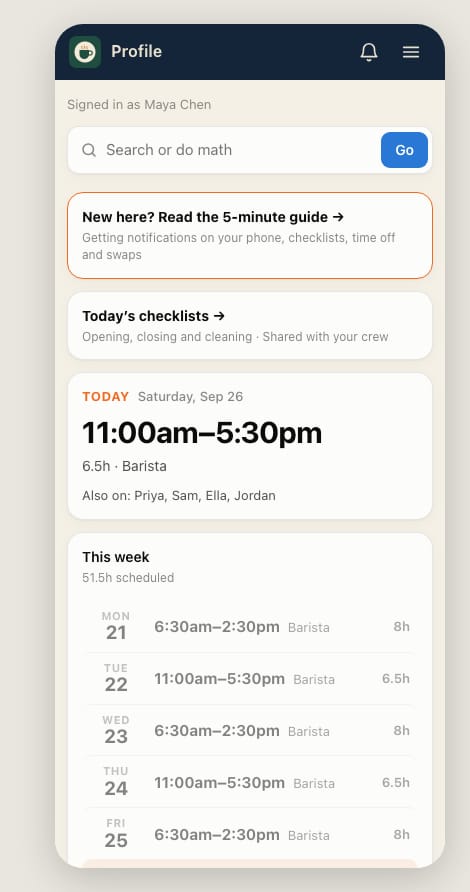
- After setup, your Home has links to Checklists, My shifts, Training & Guides and Team chat (when available). Watch the walkthrough.
- iPhone: open the link in Safari, tap Share, then Add to Home Screen. Open CafeDash from the new icon from now on.
- Android: open the link in Chrome. Adding it to the home screen (tap ⋮, then Add to Home screen) is optional.
- Turn on notifications so you get reminders: see Turn on notifications.
Lost the email, or the link expired? Ask your manager to press Resend invite for you on Team → Roster.