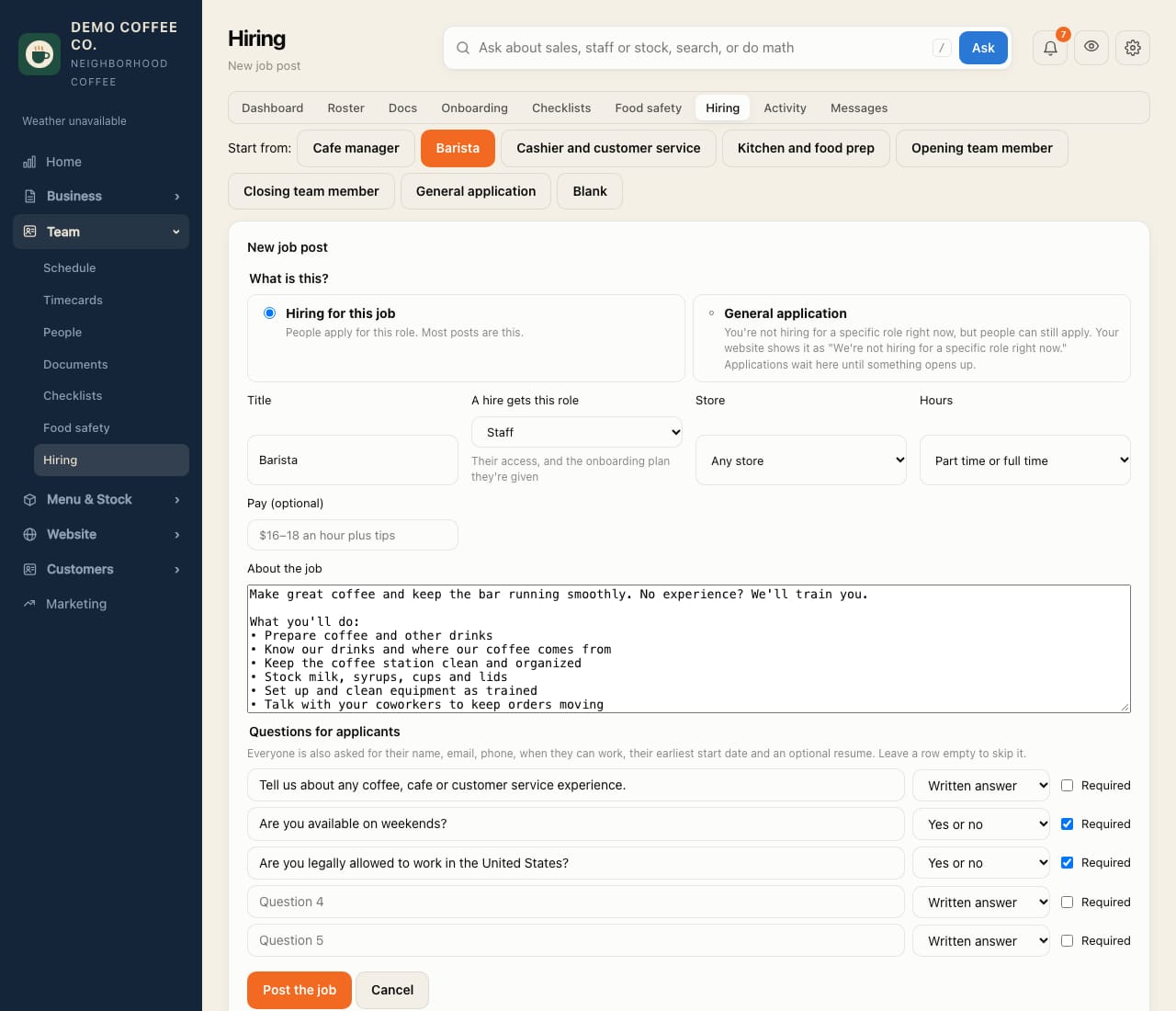
Post a job
Start from a ready-made role, adjust it, and put it on your job board and website.
- Open Team → Hiring. Under Start from, pick a role: Cafe manager, Barista, Cashier and customer service, Kitchen and food prep, Opening or Closing team member, or Blank.
- Choose Hiring for this job. (Not hiring for a role right now? See the tip below.)
- Check the title, the role a hire gets, the store, hours and pay. Edit the description and the questions applicants answer.
- Tap Post the job. It's on your job board straight away, and on your website's Jobs page if you have one.
Sharing it
- Where people apply on Team → Hiring has your job board link: Copy it for Instagram, a QR code in the window, or a job site.
- If CafeDash hosts your website, open posts show on its Jobs page, with a link in the footer.
- To stop taking applications, open the post and tap Pause or Close.
Not hiring for a specific role? Post a General application instead. Your website shows "We're not hiring for a specific role right now", and people can still apply.