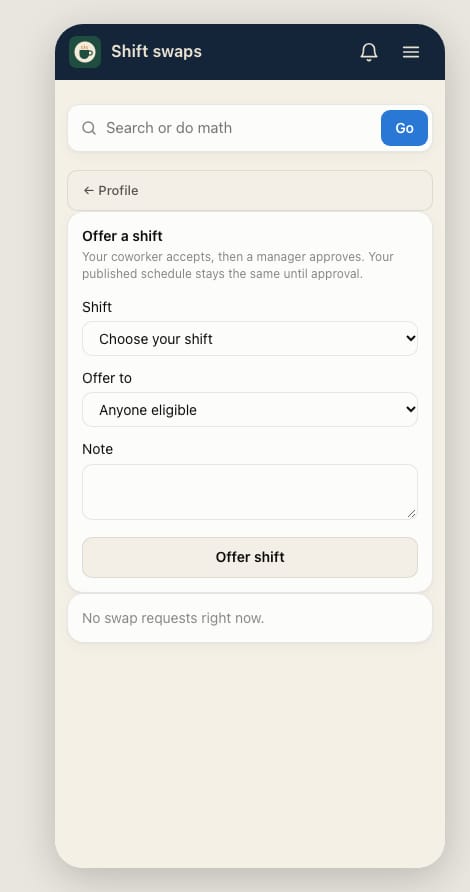
Offer or pick up a shift
Give a shift to a coworker. They accept it, then a manager approves the swap.
- Open Home → My shifts and tap Shift swaps.
- Under Shift, choose the shift you want to give away.
- Under Offer to, pick a coworker, or Anyone eligible.
- Add a Note if you like, then tap Offer shift.
Picking up a coworker's shift
- Shifts offered to you show on the same page. Tap Check & accept, then Accept — send for approval.
- A manager approves it. Until then, the schedule stays as it was, so keep working your own shifts.
See "Ask the owner to link your account to your Square team member"? Your manager needs to connect your account to your Square profile first.