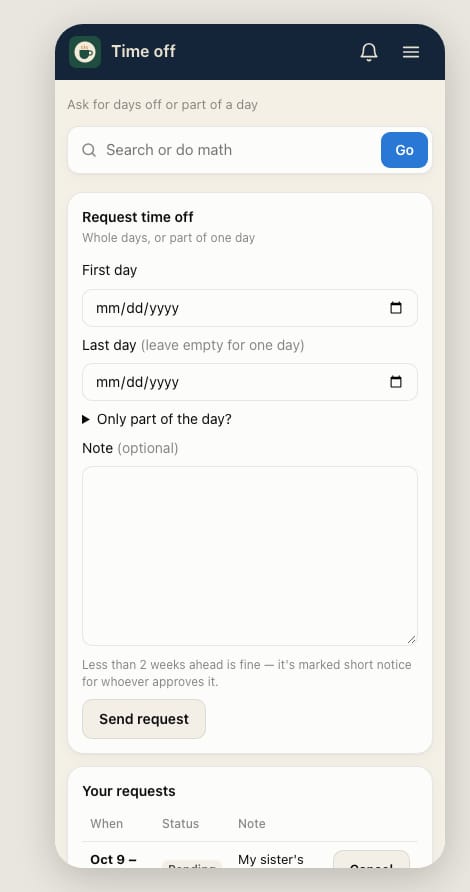
Request time off
Ask for a day off, several days, or part of a day. Your manager approves or declines it.
- Open Home → My shifts and tap Request time off.
- Pick the First day. For more than one day, pick the Last day too; leave it empty for one day.
- Only need part of a day? Tap Only part of the day? and enter the times.
- Add a Note if it helps, like the reason or who could cover.
- Tap Send request. It shows under Your requests as Pending.
After you send it
- You get a notification (or an email) when it's approved or declined.
- Changed your mind? Tap Cancel next to the request under Your requests.
- Less than 2 weeks ahead is fine. It's marked short notice for whoever approves it.