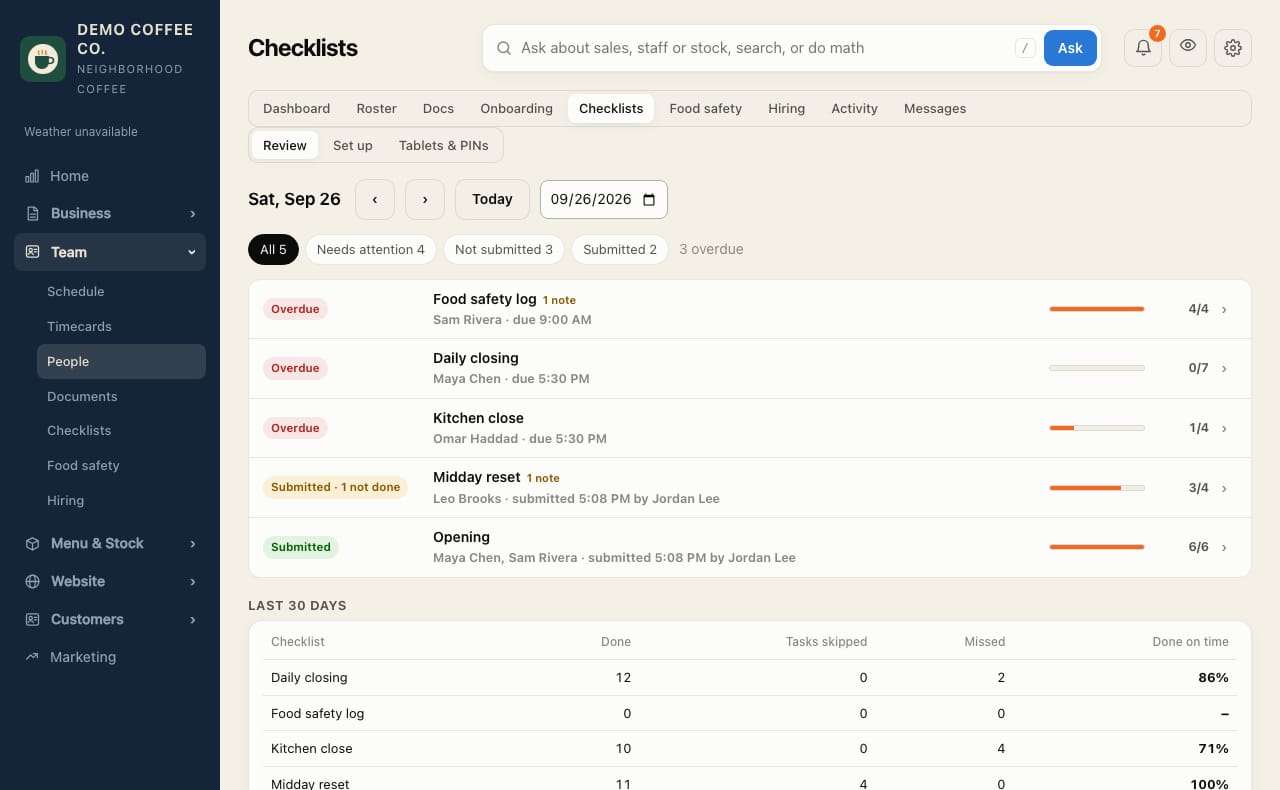
Review today's checklists
See what's overdue or not done, change who does a list, and close old ones as missed.
- Open Team → Checklists. Review shows today's lists, problems first.
- Use Needs attention, Not submitted and Submitted to filter.
- Tap a row for Open checklist, its Activity, or Change who does it (with a reason, like "covering for Sam").
- A list that won't get done: enter Why it wasn't done and tap Close as missed.
- Old lists from earlier days: tap Close all as missed under Earlier days — never submitted.
Unfinished lists also close as missed on their own after a grace period, set in Settings → Rules. A missed list can be reopened.