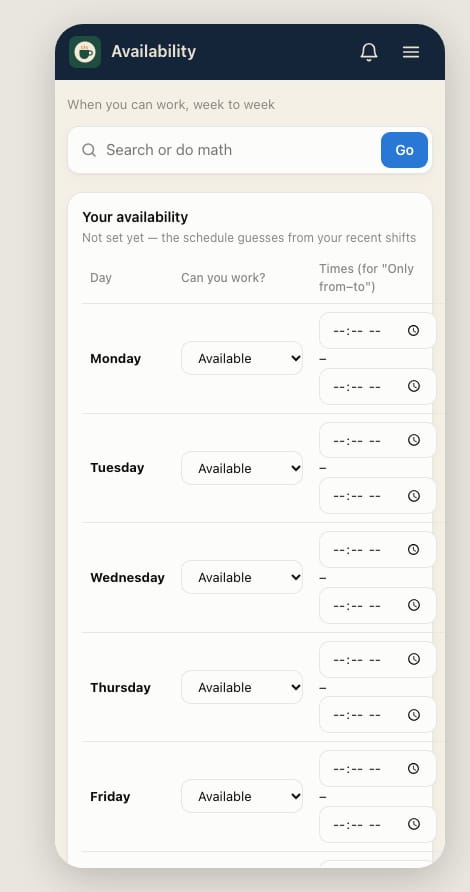
Set your availability
Tell your manager which days and hours you can work each week.
- Open Home → My shifts and tap Set availability.
- For each day, choose Available, Unavailable or Only from–to. For Only from–to, enter the times.
- Add anything else under Anything else?, like "no more than 30 hours a week".
- Tap Save availability.
Changes apply from the next week that isn't published yet. Weeks already published don't change.
For a single day off, request time off instead.